A website content plan is a documented map that links every page on your site to a specific audience job and a measurable goal. Start today by inventorying your top three pages and assigning one owner to each. Success looks like a page with a clear job, a tracked metric, and someone accountable when that metric slips.
TL;DR:
- Most small business sites focus on creation but neglect ongoing maintenance, leading to outdated content and broken links over time.
- Building a content inventory and page table helps identify high-impact pages and clarify each page’s purpose and owner for better management.
- Regular reviews should be scheduled based on page type, with pricing pages checked quarterly and evergreen pages every six to twelve months.
- Assigning clear ownership and review deadlines from the start prevents pages from becoming stale and ensures accountability.
- Implementing a structured workflow with briefs, templates, and a publishing checklist minimizes errors that could harm rankings or credibility.
Table of Contents
- What Is a Website Content Plan (and Why It Matters)?
- How Do You Build a Website Content Plan Step by Step?
- How Do You Audit Your Website and Build a Content Inventory?
- What Belongs in a Content Map or Page Table?
- Creating Content: Briefs, Templates, and Approval Workflow
- What SEO and Conversion Elements Should Every Page Plan Include?
- How Often Should You Review and Update Website Content?
- How Does a Small Agency Put a Content Plan Into Practice?
- My Take on Content Planning for Small Teams
- Sources
- FAQ
What Is a Website Content Plan (and Why It Matters)?
A website content plan is the strategic framework that governs how you create, structure, and maintain every piece of information on your site. It’s not a spreadsheet you fill out once and forget. According to NN/g’s content strategy overview, it’s the connective tissue between what your audience needs and what your business wants them to do. Without one, sites drift: messaging gets inconsistent from page to page, and conversion rates suffer because nobody agreed on what each page is supposed to accomplish.
Content moves through four phases, and skipping any one of them is where plans fall apart:
- Plan — decide what each page needs to say and to whom
- Create — write, design, and build the page
- Maintain — review, update, and correct as facts change
- Unpublish — retire pages that no longer serve a purpose
Most small business sites are strong on “create” and weak everywhere else. I’ll walk you through fixing that.
How Do You Build a Website Content Plan Step by Step?
You don’t need a big team or a fancy tool to do this well. You need a sequence, and you need to actually follow it instead of jumping straight to writing.
- Set goals and KPIs. Decide what the whole site needs to do (generate leads, book calls, sell a product), then assign a specific metric to each priority page. A homepage’s job isn’t “look professional.” It’s to encourage visitors to engage with the Contact option.
- Run a quick inventory and audit. List every live URL with its current job, traffic, and last update date. This becomes your baseline for every decision after it.
- Map page jobs and prioritize. Score each page on impact versus effort. A high-traffic page with a broken CTA beats a low-traffic page with a typo, every time.
- Build briefs and templates. Every new or rewritten page starts from a brief with mandatory fields: headline, audience question, evidence, CTA.
- Assign owners and set review dates. No page goes live without someone’s name attached, and no page survives without a scheduled recheck.
Pro Tip: Assign the review date the same day you publish, not six months later when you can’t remember why the page exists. Put it on a calendar, not a “someday” list.
This sequence works because it front-loads decisions. By the time you’re writing, you already know the audience question, the goal, and who signs off. That’s the difference between a page that converts and one that just sits there looking nice.
How Do You Audit Your Website and Build a Content Inventory?
An inventory is your content compass. Without one, you’re strategizing on assumptions instead of evidence. Build a spreadsheet with these columns before you touch a single page:
- URL and page title
- Page job (what it’s supposed to accomplish)
- Owner (one name, not a department)
- CTA currently in place
- Last updated date
- Current metric snapshot (traffic, conversion rate, bounce rate)
Score each row on traffic volume, conversion contribution, factual accuracy, and search demand. That gives you a triage list instead of a guessing game.
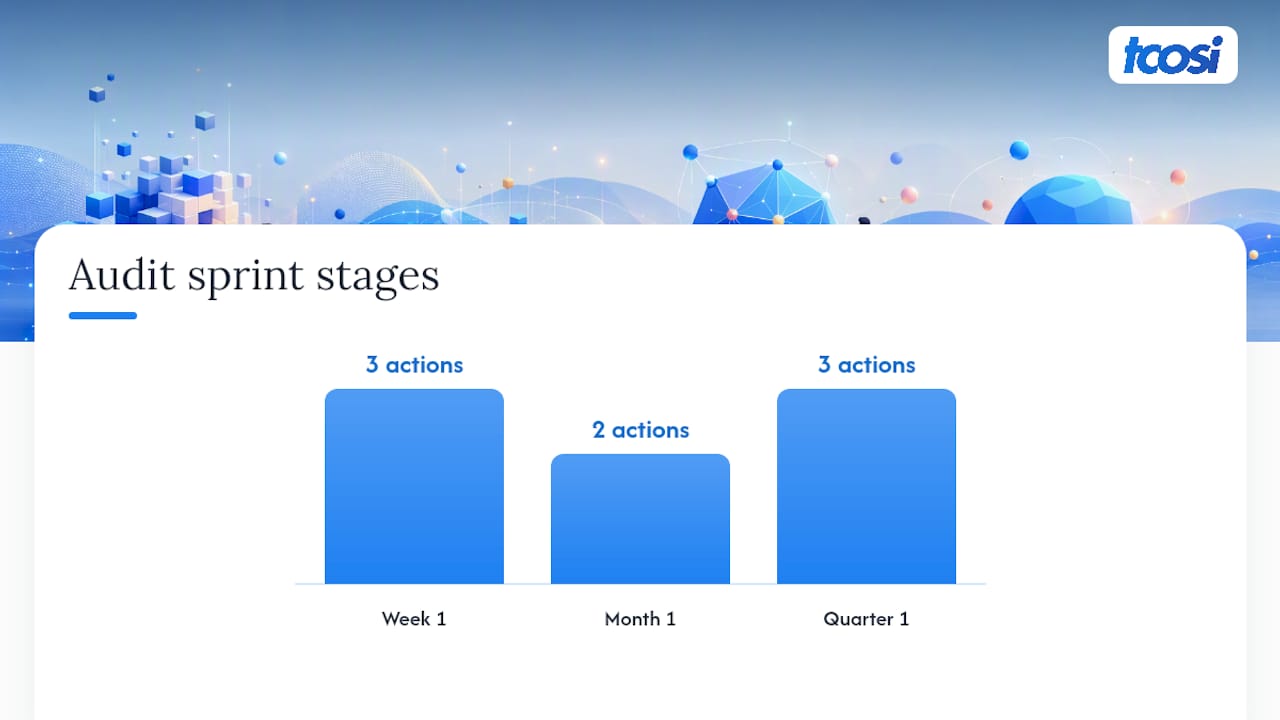
For small teams, spread the work over a 30/60/90 audit sprint: Week 1 covers quick fixes and inventorying your top traffic pages. Month 1 is for rewriting the high-impact pages and locking in templates. Quarter 1 handles page mergers, governance rules, and the first round of scheduled reviews. Broken links and outdated dates are worth catching in week one; routine checks here save you from bigger headaches later.
What Belongs in a Content Map or Page Table?
A page table is the practical artifact that turns your inventory into decisions. Each row should record the page’s job, the audience question it answers, its primary message, the supporting claim or evidence, the owner, the CTA, and a freshness trigger (the event that forces a review, like a price change or policy update).

Use this table to inform your sitemap and wireframes, not the other way around. If two pages answer the same audience question, merge them. If one page is trying to answer three unrelated questions, split it. One rule worth enforcing: mark any unresolved evidence in red before you draft a word. A red cell is a decision you haven’t made yet, not a placeholder to fill in later.
Creating Content: Briefs, Templates, and Approval Workflow
A page brief keeps writers from guessing. Every brief should specify the headline, the H1, supporting H2s, evidence sources, the CTA, and metadata (title tag and meta description). Skip any of these and you’ll find yourself rewriting the page in three weeks.
Roles matter more than most small teams admit. Assign a creator (writes the draft), a reviewer (checks facts and tone), an approver (signs off on publishing), and a publisher (pushes it live). These can be the same person on a two person team, but the roles still need to be distinct steps, not skipped ones. Unclear ownership is exactly what causes content to go stale or contradict itself six months down the line.
Before anything goes live, run this checklist:
- Accessibility check (alt text, heading structure, contrast)
- Internal and external links tested
- Evidence sources cited and verifiable
- Image and content rights confirmed
- Analytics tag installed and firing correctly
Pro Tip: Keep a shared “publishing checklist” doc that every page has to clear before it goes live. It takes ten minutes and it catches the mistakes that cost you rankings or credibility later. Our brand website launch checklist walks through this in more detail if you want a ready-made version.
What SEO and Conversion Elements Should Every Page Plan Include?
Every page in your plan needs a few non-negotiables baked in from the brief stage, not bolted on after launch:
- Headlines and meta descriptions written to match search intent, not just keywords
- A primary keyword mapped to the page, with internal links pointing to related pages using descriptive anchor text
- Structured data notes where relevant (reviews, FAQs, local business info)
- A clear CTA placed above the fold and repeated once more further down
- Social proof (reviews, client logos, case studies) placed near the decision point, not buried in a footer
- Mobile and accessibility checks run before publishing, not after complaints
If you want a deeper technical pass on any of this, our guide on common website SEO mistakes covers the errors that quietly tank rankings.
How Often Should You Review and Update Website Content?
Not every page decays at the same rate, so don’t review them on the same schedule. Pricing and policy pages need a check every quarter at minimum. Evergreen pages like your about page or core service pages can go six to twelve months between reviews, unless something material changes.
Build a governance checklist you actually revisit:
- Owner listed and current (people leave jobs; update the sheet)
- Last review date logged
- Evidence and claims still accurate
- Links still functional
When a page has outlived its purpose, retire it properly. Set up a 301 redirect to the closest relevant page rather than leaving a dead link or a thin “we’ve moved” notice. Unpublishing is a phase of the plan, not a failure of it.
How Does a Small Agency Put a Content Plan Into Practice?
I’m Tommy Cosimano, and at tcosi I’ve built content plans for local service businesses, professional firms, and nonprofits that don’t have a marketing department, just a person wearing five hats. The 30/60/90 audit example above isn’t theoretical. It’s the same structure I use to triage a new client’s site: quick fixes in week one, rewritten priority pages by month one, governance and redirects locked in by the end of the quarter. A sample page table for a service business might list “Book a Consultation” as the CTA on the homepage, with the freshness trigger set to “pricing change” or “new service added.”
My Take on Content Planning for Small Teams
Most content planning advice is written for enterprise teams with dedicated content strategists, then awkwardly scaled down for everyone else. That’s backwards. A five-person business doesn’t need a governance committee. It needs one page table, one owner per page, and one recurring date on the calendar to check what’s gone stale.
The conventional advice oversells the planning phase and undersells maintenance. Teams will spend weeks on a beautiful content strategy document, publish it, and never touch the maintenance section again. Pages rot. CTAs point to dead offers. Nobody notices until a client asks why the pricing page mentions a service you stopped offering two years ago.
If you take one thing from this: build the audit habit before you build the strategy deck. A 30/60/90 sprint forces you to look at what’s actually on your site, not what you assume is there. Everything else, the page tables, the briefs, the review cadence, gets easier once you know what you’re working with. Prioritize that first, and the rest of the plan practically writes itself.
— Tommy Cosimano
Sources
Start with NN/g’s content strategy overview if you want the foundational thinking behind why content should lead design decisions, not follow them. The University of Minnesota’s content strategy guide offers a practical framework for stakeholder mapping and ownership, scaled down for a small team’s realistic bandwidth. For a ready-to-use artifact, the page table template gives you the exact fields to copy into your own spreadsheet. If you’d rather see traffic-focused tactics layered on top of your plan, this guide on planning content for organic growth is worth a read. And if you want tcosi’s own audit structure as a starting point, the 30/60/90 audit plan is built exactly for teams your size.
- Content Strategy 101 – NN/g
- Content Strategy: Plan & Maintain Website Content | IT@UMN
- The Ultimate Website Content Checklist: Optimize Every Page (2026)
FAQ
What Is a Website Content Plan?
A website content plan is a documented framework that maps every page to a specific audience need and business goal, covering how content gets created, maintained, and eventually retired.
What Are the Steps in Website Content Planning?
The core sequence is setting goals and KPIs, running an inventory and audit, mapping and prioritizing page jobs, building briefs and templates, and assigning owners with scheduled reviews.
How Do I Organize Content for My Website?
Use a page table that records each page’s job, audience question, primary message, evidence, owner, and CTA, then let that table inform your sitemap so no two pages compete for the same purpose.
How Often Should I Update My Website Content?
Review pricing and policy pages quarterly at minimum, and review core evergreen pages like your homepage or service pages every six to twelve months unless something material changes sooner.
Do I Need a Content Calendar for a Small Business Website?
A calendar helps schedule reviews and new content, but it only works once you’ve built the inventory and page table first, since a calendar without a plan just tracks deadlines with no strategy behind them.