Website development is the process of building and maintaining websites using core technologies like HTML, CSS, and JavaScript, often managed through a platform like WordPress. Your first decision is the most important one: if you need to publish quickly, an AI builder gets you live fastest; if you want control and room to grow, managed WordPress is the practical middle ground. If you need custom logic or a unique product, hand-coded development is the right call. That choice, more than any technical skill, determines how your project goes. Get clear on your goal, your budget, and how much time you can commit before you pick a tool or hire anyone.
Table of Contents
- What is website development, exactly?
- Every website needs these core components
- What kind of website do you actually need?
- How does the development process actually work?
- Which tools and technologies should you know?
- How should you choose your approach and learning path?
- What best practices should every site follow before launch?
- What does a professional agency project actually deliver?
- Key Takeaways
- What actually makes or breaks a website project
- tcosi builds websites that work past launch day
- Useful sources
- FAQ
What is website development, exactly?
Web development is the work of building, structuring, and maintaining sites that run in a browser. It splits into three distinct roles, and understanding the difference helps you hire the right person or learn the right skills.
Front-end development is everything the visitor sees and interacts with: layouts, buttons, typography, animations. Front-end developers write HTML to structure content, CSS to style it, and JavaScript to make it interactive.

Back-end development handles the server side: databases, authentication, business logic, and APIs. A back-end developer writes code that runs on a server and sends data to the browser. Common languages include Python, PHP, Node.js, and Ruby.
Full-stack development means one person covers both. Full-stack developers are generalists who can build a complete product, though they rarely go as deep as a specialist in either discipline.
Here is how the pieces connect in a typical request:
Browser → CDN (cached assets) → Web Server → Application Logic → Database
The browser requests a page. A CDN delivers static files fast. The server runs the application code, queries the database if needed, and returns a response. That loop happens in milliseconds on every page load.
Every website needs these core components
Before you write a single line of code or pick a builder, know what you are actually assembling. A working website is not one thing. It is a set of components that have to work together.
- Domain name: Your address on the web (e.g., yourbusiness.com). You register it through a registrar like Namecheap or Google Domains. You own it; the developer does not.
- DNS: The system that points your domain to your hosting server. Usually managed through your registrar or host.
- Web hosting: The server where your files live. Shared hosting is cheapest; managed WordPress hosting adds automatic updates and backups.
- HTML, CSS, and JavaScript files: The actual code that builds your pages. Even WordPress sites are built on these under the hood.
- Media assets: Images, videos, icons, and fonts. Unoptimized images are one of the top causes of slow load times.
- CMS and plugins: A content management system like WordPress lets non-developers edit content. Plugins extend functionality without custom code.
- SSL certificate: Encrypts data between the browser and server. Google flags sites without SSL as “Not Secure,” and most hosts include it free via Let’s Encrypt.
- Analytics: Google Analytics or a privacy-focused alternative like Plausible tracks who visits and what they do.
- Backups: Automated daily backups protect you from data loss. This is often the most overlooked component until something breaks.
Pro Tip: Set up your XML sitemap, image alt text, and SSL certificate before launch, not after. Beginners who skip technical SEO basics at launch often spend weeks fixing discoverability problems that a 30-minute checklist would have prevented.
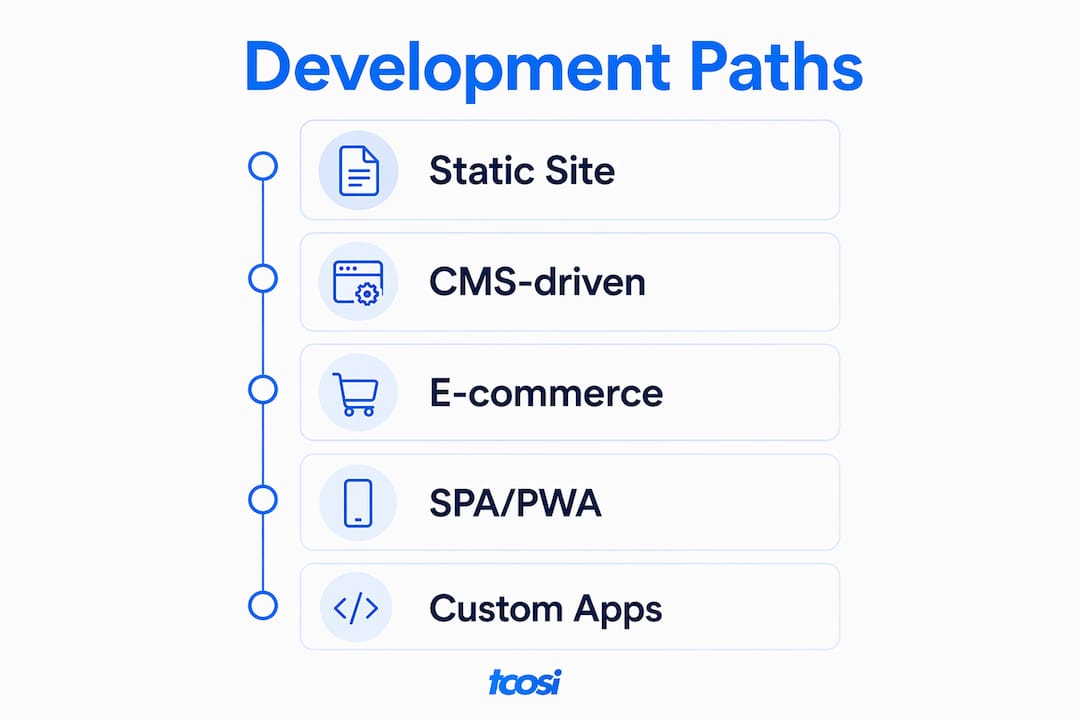
What kind of website do you actually need?
Not every project is the same, and the type of site you need shapes every decision that follows.
Static websites
A static site serves the same pre-built HTML files to every visitor. There is no database, no login, no dynamic content. Static sites are fast, secure, and cheap to host. They are ideal for portfolios, landing pages, and simple informational sites. Tools like Eleventy, Hugo, and Astro generate them from templates.
Best for: Developers, designers, and anyone who wants maximum speed with minimal overhead.
Tradeoff: Updating content requires editing files or rebuilding the site. Not practical for non-technical owners who need to update content regularly.
CMS-driven websites
A CMS like WordPress powers a large share of the web. It gives non-developers a dashboard to manage pages, posts, and media without touching code. Themes and plugins handle design and functionality. This is the most common setup for small businesses, blogs, and service providers.
Best for: Business owners who want control over their content without depending on a developer for every edit.
Tradeoff: Plugins and themes require regular updates. A neglected WordPress site becomes a security liability.
E-commerce sites
An e-commerce build adds product catalogs, shopping carts, payment gateways, and order management. WooCommerce (a WordPress plugin) handles this for most small stores. Larger operations may use a custom-built solution. For a real-world example of what a custom e-commerce integration looks like in practice, the ShopPilot project shows how external APIs and payment systems get woven into a production build.

Best for: Businesses selling physical or digital products online.
Tradeoff: More moving parts mean more maintenance. Payment processing, tax logic, and inventory sync all need ongoing attention.
Single-page apps and progressive web apps
A single-page app (SPA) loads once and updates the page dynamically using JavaScript frameworks like React, Vue, or Angular. A progressive web app (PWA) adds offline capability and can be installed on a device like a native app. These are the right choice when you need a highly interactive experience, like a dashboard, booking tool, or real-time feed.
Best for: Startups and product teams building web applications, not just websites.
Tradeoff: Higher development cost, more complex infrastructure, and harder to optimize for SEO without extra configuration.
Custom web applications
A fully custom build uses no off-the-shelf CMS. The team designs the database schema, builds the API, and writes every feature from scratch. This is appropriate when your product has unique logic that no existing platform can handle. For a sense of what a custom-stack deployment looks like end to end, the InspectFlow portfolio is a useful reference.
Best for: Funded startups, SaaS products, and enterprise tools.
Tradeoff: Longest timeline, highest cost, and requires a skilled team to build and maintain.
How does the development process actually work?
The full workflow runs in a straight line: define your goal, register a domain, choose hosting, build, test, launch, and maintain. Skipping steps early creates expensive rework later. Research consistently shows that most project delays come from content and decision-making, not from coding itself.
- Define your goal and scope. What does the site need to do? Who is the audience? What does success look like in 90 days? Write this down before touching any tool.
- Register your domain. Choose a name that is short, memorable, and matches your brand. Register it through a reputable registrar and keep the login credentials somewhere safe.
- Choose and set up hosting. Match your hosting type to your traffic expectations and technical comfort. Shared hosting works for low-traffic sites; managed WordPress hosting is the practical choice for most small businesses.
- Plan your sitemap and content. List every page the site needs. Draft the copy before design starts. Waiting on content is the single most common reason projects stall.
- Design the layout. Wireframes first, then visual design. Establish your color palette, typography, and component library before writing production code.
- Build and develop. Write HTML, CSS, and JavaScript, or configure your CMS. Use version control (Git) from day one so you can roll back any change.
- Test across devices and browsers. Check on mobile, tablet, and desktop. Run a Lighthouse audit for performance, accessibility, and SEO scores. Fix critical issues before launch.
- Launch with a pre-launch checklist. Confirm SSL is active, the sitemap is submitted to Google Search Console, analytics is tracking, and all forms are working. Use a launch checklist to avoid missing anything.
- Maintain and update. Update your CMS, plugins, and themes regularly. Monitor uptime, review analytics monthly, and back up your site automatically.
Realistic timelines and U.S. cost ranges
| Project Type | Typical Timeline | Ballpark U.S. Cost Range |
|---|---|---|
| Simple static or brochure site | 1–3 weeks | — |
| Small business CMS/WordPress site | 4–8 weeks | — |
| E-commerce site (WooCommerce) | 6 weeks | — |
| Custom web application | 3–9 months | — |
These ranges reflect U.S. agency and freelance rates. DIY paths using a builder or managed CMS lower the cost significantly but shift the time investment to you.
Which tools and technologies should you know?
The minimum set to be competent in web development is HTML, CSS, JavaScript, Git, and a working knowledge of WordPress. Everything else builds on that foundation.
Languages and frameworks
- HTML: Structures every web page. MDN’s HTML guide is the best starting point.
- CSS: Controls layout, color, spacing, and responsive behavior. Learn Flexbox and CSS Grid early.
- JavaScript: Adds interactivity. React, Vue, and Angular are the dominant front-end frameworks built on top of it.
- PHP: The back-end language WordPress runs on. Useful to know if you plan to customize WordPress themes or plugins.
- Python / Node.js: Common back-end choices for custom applications and APIs.
- Static site generators: Eleventy, Hugo, and Astro for fast, file-based sites with no database.
CMS options
WordPress is the most practical choice for most beginners and small businesses. Its ecosystem advantage is real: thousands of themes, plugins, and a large pool of developers keep costs down and options wide. Alternatives include Webflow for design-heavy projects and Shopify for pure e-commerce.
Hosting options
- Shared hosting: Cheapest, lowest performance. Fine for low-traffic sites.
- Managed WordPress hosting: Automatic updates, backups, and better performance. Worth the extra cost for most business sites.
- VPS (Virtual Private Server): More control, more responsibility. Good for developers who want to configure their own environment.
- Cloud hosting: AWS, Google Cloud, and Azure scale automatically. Overkill for most small sites but standard for applications.
- Hosted builders: Squarespace, Wix, and similar platforms bundle hosting with a drag-and-drop editor. Fast to launch, limited to export.
Developer tools every beginner should learn
- Git and GitHub: Version control is non-negotiable. Learn branching, commits, and pull requests from the start.
- Browser developer tools: Chrome DevTools and Firefox Developer Tools let you inspect, debug, and test directly in the browser.
- Basic command line (CLI): You will need it for Git, package managers (npm, Composer), and deployment.
- Local development servers: MAMP, XAMPP, or Local by Flywheel let you build WordPress sites on your own machine before pushing live.
- Deployment tools: FTP clients, GitHub Actions, or platform-specific deploy pipelines get your code from local to production.
How should you choose your approach and learning path?
The right path depends on your top constraint. Speed, cost, and control pull in different directions, and you can only optimize for two at a time.
Ask yourself these questions before committing to any approach:
- What is the site’s primary goal? Lead generation, e-commerce, content publishing, or a web app each point to different tools.
- What is your budget? DIY builders cost $10–$50/month. A freelancer costs $1,500–$10,000+. An agency costs more but delivers a complete, tested product.
- How much time do you have? Learning to code takes months. A builder gets you live in days. Hiring someone gets you live in weeks.
- What are your growth expectations? A builder that works today may lock you in tomorrow. AI site builders produce fast prototypes, but check migration and export options before committing.
- Do you need to own the code? If yes, custom development or a self-hosted CMS is the only real answer.
Learning paths by approach
DIY with a builder: Start with the builder’s own tutorials. Focus on understanding layout, content hierarchy, and basic SEO settings. You do not need to code, but you do need to understand what good looks like.
Managed WordPress: Work through MDN’s beginner web development module, then move to WordPress-specific resources. Learn enough HTML and CSS to customize a theme without breaking it.
Custom code: Follow a structured curriculum: HTML → CSS → JavaScript → a framework (React or Vue) → a back-end language → databases → deployment. freeCodeCamp, The Odin Project, and MDN are all solid free starting points.
Hiring an agency: You do not need technical skills, but you do need to ask the right questions. See the agency checklist section below for what to ask before signing anything.
For a direct comparison of the tradeoffs between building it yourself and hiring a professional, the DIY vs. hiring a developer breakdown is worth reading before you decide.
What best practices should every site follow before launch?
A site is launch-ready when it passes four tests: it loads fast, it works for everyone, it is secure, and search engines can find it. Skipping any one of these creates problems you will pay to fix later.
- Performance: Compress images before uploading. Use a content delivery network (CDN). Aim for a Largest Contentful Paint (LCP) under 2.5 seconds and minimize Cumulative Layout Shift (CLS). Core Web Vitals, including INP (Interaction to Next Paint), are both ranking signals and real measures of user experience.
- Accessibility: Use semantic HTML elements (h1, nav, main, footer). Add descriptive alt text to every image. Ensure color contrast meets WCAG 2.1 AA standards. Keyboard navigation should work throughout the site.
- Security: Activate SSL before launch. Keep your CMS, plugins, and themes updated. Set up automated backups. Limit login attempts and use strong, unique passwords. The role of security in website management covers the full maintenance side of this in detail.
- Responsive design: Test on real devices, not just a browser resize. Use CSS media queries and flexible grid layouts. Google indexes the mobile version of your site first.
- Basic SEO: Write a unique title tag and meta description for every page. Submit an XML sitemap to Google Search Console. Fix any broken links before launch. Review common SEO mistakes that beginners consistently miss.
Pro Tip: Run a Lighthouse audit in Chrome DevTools before every launch. It scores performance, accessibility, best practices, and SEO in one report and tells you exactly what to fix. Aim for 90+ in each category.
Pro Tip: Set up uptime monitoring with a free tool like UptimeRobot. You want to know when your site goes down before your clients do.
What does a professional agency project actually deliver?
If you are hiring an agency or evaluating a proposal, you should know what a complete engagement looks like. A professional project is not just a finished website. It is a documented, tested, and handed-off product with a clear maintenance plan.
A solid agency engagement delivers all of the following:
- Discovery document: Goals, audience, competitors, sitemap, and success metrics agreed on in writing.
- Wireframes: Low-fidelity page layouts showing structure before any design work begins.
- Design comps: High-fidelity mockups in Figma or Adobe XD, approved before development starts.
- Development build: Clean, version-controlled code or a configured CMS with all agreed features.
- QA and cross-browser testing: Tested on Chrome, Firefox, Safari, and Edge, plus mobile devices.
- Launch checklist completion: SSL, sitemap, analytics, redirects, and form testing all confirmed.
- Training session: A recorded walkthrough showing the client how to manage their own content.
- Maintenance plan or SLA: Defined update schedule, response times, and backup procedures.
Typical agency milestone timeline for a small-business site
| Phase | Deliverable | Typical Duration |
|---|---|---|
| Discovery and planning | Signed scope, sitemap, content plan | Week 1 |
| Design | Wireframes + approved design comps | Weeks 2–3 |
| Development | Built and staged site | Weeks 4–6 |
| QA and revisions | Bug fixes, cross-browser testing | Week 7 |
| Launch | Live site, DNS, analytics, sitemap | Week 8 |
| Post-launch | Training, documentation, maintenance setup | Week 8–9 |
Pro Tip: Ask any agency for CMS access and source code ownership in writing before signing. You should own your domain, your hosting account, and your code. An agency that resists this is a red flag.
Portfolio and case study links are the clearest proof of an agency’s real-world work. Look for before-and-after examples, client industries similar to yours, and evidence of ongoing relationships, not just one-time launches.
Key Takeaways
Website development succeeds when you match your build path to your goal, plan your content before you build, and treat performance, security, and accessibility as requirements, not afterthoughts.
| Point | Details |
|---|---|
| Choose your path first | Match your build approach to your top constraint: speed, cost, or control. |
| Plan content before building | Most project delays come from content and decisions, not from coding. |
| WordPress covers most needs | WordPress suits most small-business sites. |
| Launch checklist prevents rework | SSL, sitemap, analytics, and mobile testing should be confirmed before going live. |
| tcosi handles the full process | tcosi builds custom WordPress sites and manages ongoing maintenance for U.S. businesses. |
What actually makes or breaks a website project
The most common reason a website project fails is not a bad developer or a wrong platform. It is a client who has not decided what they want before the work starts.
I have seen this pattern repeat across every project type: the business owner who wants to “figure it out as we go” ends up with a site that gets rebuilt six months later. The ones who arrive with a clear goal, a content plan, and a realistic budget get a site that works. The technical execution is almost never the hard part.
The second most common failure is treating the launch as the finish line. A website that is not maintained is a liability. Plugins go out of date. Security vulnerabilities get exploited. Content goes stale. The businesses that get real results from their sites are the ones that treat them like a living part of their operation, not a one-time project.
If you are hiring someone, ask them what happens after launch. If the answer is vague, keep looking.
tcosi builds websites that work past launch day
Most businesses need a site that is built right the first time and kept that way. tcosi does exactly that: custom WordPress websites designed and developed for U.S. businesses, from local service providers to marketing agencies, with ongoing maintenance built into the relationship from day one.
Whether you need a custom WordPress website built from scratch, a redesign of an existing site, or a reliable maintenance plan to keep your current site secure and fast, tcosi handles the full process. Every project includes clear communication, a defined scope, and a handoff that leaves you in control of your own site. Ready to get started? Get in touch and let’s talk through what your site needs.
Useful sources
These are the primary references used in this guide, organized by type.
Official documentation (primary how-to sources):
- MDN Web Docs: Your First Website — The most authoritative beginner reference for HTML, CSS, and JavaScript fundamentals.
- web.dev — Google’s developer resource for Core Web Vitals, performance, and accessibility standards.
- W3C Web Standards — The official body that defines HTML, CSS, and accessibility (WCAG) specifications.
Practical guides and tutorials:
- DreamHost: How To Make a Website (4 Ways) — Covers the four main build paths with honest tradeoffs for beginners.
- Ahrefs: How to Build a Website — Step-by-step walkthrough with SEO-focused guidance throughout.
- Keydal: How to Build a Website from Scratch — Covers hosting types, Core Web Vitals, and WordPress market share data.
Business context:
- Salesforce: Website Development Planning — Practical perspective on why planning and content decisions drive project outcomes.
tcosi resources for next steps:
- DIY vs. hiring a developer — Decision-focused comparison for business owners.
- Brand website launch checklist — Pre-launch checklist for small businesses.
- Website security best practices — Post-launch security and maintenance guidance.
FAQ
What is website development, and where do I start?
Website development is the process of building and maintaining websites using technologies like HTML, CSS, and JavaScript. Start by defining your goal and choosing a build path: a builder for speed, WordPress for flexibility, or custom code for full control.
How do you develop a website step by step?
Define your goal, register a domain, set up hosting, plan your content, design your layout, build and test, then launch with a checklist that covers SSL, analytics, and your sitemap. Maintenance starts the day you go live.
Can AI tools actually build a website for you?
AI builders and coding assistants like ChatGPT speed up the process, but they do not replace the need for human oversight on hosting, security, and ongoing maintenance. They are useful for prototyping, not for production-ready infrastructure.
Is website development still in demand?
Yes. A functional website remains the foundation of any digital business presence, driving lead generation, credibility, and 24/7 availability. Demand for skilled web developers in the U.S. remains strong across industries.
Should I build my own site or hire someone like tcosi?
If you have the time to learn and a simple goal, a DIY builder or managed WordPress setup can work. If you need a professional result, want to own your code, and do not want to manage the technical side yourself, working with tcosi gives you a complete, maintained site without the guesswork.