Yes, most U.S.-facing commercial websites must post a privacy policy. At minimum, it needs to list the categories of personal information you collect, who you share it with, how users can exercise their rights, and an effective date. That baseline duty comes from California’s Online Privacy Protection Act, and it applies to nearly any site with a contact form, newsletter signup, or analytics tracker. Businesses that meet CCPA/CPRA revenue or data thresholds, or that knowingly collect data from children under 13, owe additional disclosures under COPPA and California’s privacy regulations.
TL;DR:
- Most U.S.-facing sites must clearly display a privacy policy link in the footer on every page, including mobile and checkout screens.
- The policy should accurately disclose data categories collected, purposes, third-party sharing, user rights, and retention, matching actual data practices.
- Businesses meeting CCPA/CPRA thresholds must include additional disclosures on data sources, sale/sharing practices, and opt-out mechanisms, including clear request processes.
- Compliance depends on technically implementing GPC signals, monitoring trackers, and maintaining accurate, up-to-date policies rather than relying solely on boilerplate text.
- Small businesses below thresholds still need a baseline privacy policy aligned with CalOPPA, focusing on clear disclosures, proper placement, and regular review.
Table of Contents
- What are the must-have clauses in a U.S. privacy policy?
- What does CalOPPA require, and why is it the practical baseline?
- When does CCPA/CPRA require extra disclosures?
- Does my site need a COPPA notice for children’s data?
- Which state privacy laws actually apply to your site?
- How should you handle cookies, trackers, and opt-out signals?
- What sample clauses should you adapt for your own policy?
- Where should the privacy link live, and how often should you update it?
- What happens if your policy is wrong or missing?
- tcosi’s implementation notes for WordPress sites
- Publisher perspective: accuracy beats elaborate legal language
- How tcosi keeps your privacy policy live and accurate
- Sources
- FAQ
What are the must-have clauses in a U.S. privacy policy?
Every U.S. privacy policy needs a handful of core clauses, regardless of which state laws apply to your business. Miss one, and you’ve got a document that looks compliant but isn’t.
Here’s the checklist I run through with clients before their site goes live:
- A conspicuous link labeled “Privacy” on the homepage, with a visible effective date at the top or bottom of the policy
- Plain-language categories of personal information collected — names, emails, IP addresses, device identifiers, payment details, whatever actually applies to your site
- Sources and purposes: where the data comes from (forms, cookies, third parties) and why you collect it
- Third-party sharing disclosures, including whether you sell or share data for advertising purposes
- User rights and request mechanics: how someone can ask what you have on them, correct it, or delete it, plus a working contact method
- Cookies and tracker disclosure, including how you handle opt-out signals
- A retention and security statement describing how long you keep data and what protections you use
- A COPPA notice if your site is directed at children or knowingly collects data from users under 13
Pro Tip: Don’t copy a template policy from a competitor’s site. Courts and regulators care whether your policy matches what your site actually does, not whether it sounds thorough. A mismatched policy is worse than a short, accurate one.
Missing pieces here aren’t cosmetic. Each one maps to a specific legal duty, which is exactly what the next few sections walk through.
What does CalOPPA require, and why is it the practical baseline?
California’s Online Privacy Protection Act (CalOPPA) is the closest thing the United States has to a national privacy-posting law, even though it’s technically a state statute. It requires a conspicuous link containing the literal word “privacy,” along with disclosures covering the categories of personally identifiable information collected, how the site responds to Do Not Track signals, and an effective date.
Here’s why this matters even if your business has no California office: CalOPPA applies to any operator of a commercial website that collects personal information from California residents. Since you can’t realistically block California visitors from a public site, and since the law defines PII broadly to include email addresses, IP addresses, and cookie identifiers, almost any site running Google Analytics or a contact form triggers the duty. That’s what practitioners mean when they call CalOPPA a de facto national requirement.
Nevada and Delaware have their own posting statutes, but their requirements largely overlap with CalOPPA’s. Nevada’s law covers “operators” collecting specific categories of data from Nevada consumers and gives them a right to opt out of certain sales. Delaware’s Online Privacy and Protection Act mirrors California’s conspicuous-link and disclosure approach closely enough that one accurate policy typically satisfies all three.
Placement matters as much as content. A few things I check on every site audit:
- The link should sit in the footer of every page, not buried three clicks deep
- Mobile apps need the same link inside account or settings menus
- The policy page itself should render cleanly when printed. Some state laws still reference “printable” formatting
- Avoid placing the link only on a “Contact Us” or “About” page. It needs to stand on its own
When does CCPA/CPRA require extra disclosures?
The California Consumer Privacy Act, as amended by the California Privacy Rights Act, adds a much heavier disclosure load, but only for businesses that meet specific thresholds. You’re covered if your business does business in California and meets any one of these: gross annual revenue over $25 million, buying or selling personal information of 100,000 or more California consumers or households, or deriving 50% or more of annual revenue from selling or sharing personal information.
If you clear that bar, your policy needs to go well beyond the CalOPPA basics. Here’s what CCPA/CPRA regulations require you to disclose:
- Categories of personal information collected in the preceding 12 months, described at a level a consumer can actually understand
- Sources of that information (direct from the consumer, from cookies, from third-party data brokers)
- Business or commercial purposes for collecting and using each category
- Categories of third parties the information is disclosed to, and whether any of it is sold or shared for cross-context behavioral advertising
- Retention criteria, meaning how long you keep each category or the criteria used to determine that
- Consumer rights, including the right to know, delete, correct, and opt out of sale or sharing, along with instructions for exercising each one
Beyond the base disclosures, CPRA layers on a few operational requirements that trip up a lot of small businesses. If you sell or share personal information, you need a “Do Not Sell or Share My Personal Information” link, distinct from your general opt-out language. If you process sensitive personal information such as precise geolocation, health data, or Social Security numbers, you need a “Limit the Use of My Sensitive Personal Information” mechanism, and in some cases opt-in consent instead of opt-out.
By the numbers: twenty U.S. states now have comprehensive privacy laws as of 2026. Twelve of them require businesses to honor Global Privacy Control signals as a valid opt-out method.
Your policy also needs to explain the mechanics of a request: how consumers submit one, how you verify their identity, and how long they’ll wait for a response. Most state laws, including CCPA/CPRA, allow 45 days to respond, with one 45-day extension available for complex requests. Spell that timeline out in the policy itself so there’s no ambiguity if a regulator asks.
Does my site need a COPPA notice for children’s data?
The Children’s Online Privacy Protection Act kicks in under two conditions: your site or app is directed to children under 13, or you have actual knowledge that you’re collecting personal information from users under 13, regardless of your intended audience. Either trigger creates the same obligations.
Under COPPA, a covered site must post a clear privacy policy disclosing exactly what data it collects from children, how it’s used, and whether it’s disclosed to third parties. More importantly, you need verifiable parental consent before collecting personal information from a child, with limited exceptions like collecting a parent’s email solely to obtain that consent.
Practical steps that keep you on the right side of this:
- Link the COPPA-specific notice from both your general privacy policy and any registration or sign-up flow a child might reach
- If you distribute through an app store, your listing needs to reflect the same data practices disclosed in-app
- Age gates are a common first line of defense, but they only work if paired with real consent workflows behind them
- Third-party parental-consent verification services exist specifically to handle the “verifiable” part of verifiable parental consent
Enforcement here is aggressive compared to general privacy violations. The FTC treats COPPA violations as strict liability in many cases, meaning intent doesn’t matter if the practice occurred.
Which state privacy laws actually apply to your site?
Twenty states had comprehensive consumer privacy laws in effect or scheduled by 2026, and the list keeps growing. Trying to track each one’s exact requirements clause by clause is a losing game for a small business without in-house counsel, which is why the smarter move is building toward the strictest common denominator instead.
Most of these laws share a similar skeleton: disclosure of data categories and purposes, a consumer right to access and delete data, and some form of opt-out for sales or targeted advertising. Thresholds vary, though, and a few states break the pattern in ways worth knowing:
- Texas applies its privacy law to nearly any business that processes personal data and isn’t a small business under SBA standards, with no minimum revenue or record-count threshold like California’s
- Nebraska similarly skips a hard threshold, applying its law broadly except to small businesses
- Florida’s law only applies to large digital platforms with revenue over $1 billion, so most small businesses are exempt
- Maryland’s newer law imposes some of the strictest data-minimization rules in the country, limiting collection to what’s “reasonably necessary”
Rather than building fifty different compliance paths, the efficient baseline is to honor Global Privacy Control signals universally and expose the same set of consumer rights to every visitor, regardless of their state.
Pro Tip: Run a simple self-audit: pull your last 12 months of website traffic by state, check your revenue and data-volume numbers against California, Colorado, and Virginia’s thresholds (the three most commonly triggered), and treat any state you clear as your compliance floor.
How should you handle cookies, trackers, and opt-out signals?
Analytics cookies, advertising pixels, IP addresses, and device identifiers all count as personal data under nearly every state privacy law now in effect. That surprises a lot of business owners who think of “personal information” as just names and Social Security numbers. It isn’t. If your site runs Google Analytics, a Meta pixel, or any third-party tag, you’re collecting personal data the moment a visitor loads the page.
Your cookies and trackers section needs three things at minimum: the categories of trackers you use (analytics, advertising, functional), the purpose of each category, and, ideally, the names of major third-party vendors receiving that data. You don’t need a line-by-line vendor table for a five-page brochure site, but an ecommerce site running a dozen ad pixels probably should have one.
Global Privacy Control deserves special attention because it’s shifting from a nice-to-have to a functional requirement. GPC is a browser-level signal that tells a site “treat this visitor as opting out of sale or sharing” automatically, without requiring them to hunt down your opt-out form. Twelve states currently require businesses to honor it as a valid opt-out request.
Operationally, that means your server or tag manager needs to detect the Sec-GPC: 1 header or the navigator.globalPrivacyControl browser flag and suppress non-essential tracking or advertising pixels accordingly. For WordPress sites, this usually happens through a consent management plugin paired with your tag manager configuration, rather than through custom code.
- Document every ad and analytics vendor that receives visitor data
- Note which categories are “sold or shared” under CPRA’s broad definition, which includes most third-party advertising
- Confirm your consent tool actually blocks scripts until consent, not just after the fact
- Revisit vendor lists quarterly. Marketing teams add new pixels faster than legal reviews happen, and analytics tools tied to measurable ROI tend to multiply fastest
What sample clauses should you adapt for your own policy?
A privacy policy is really just a series of modular sections, each answering one question a regulator or a curious visitor might ask. The standard drafting framework covers scope, data categories, uses, sharing, rights, retention, and contact information, in roughly that order.
Here’s how I’d structure each section, with sample language you can adapt directly:
- Scope: “This policy applies to information collected through [yoursite.com] and any related mobile applications.” Keep this narrow and accurate. Don’t claim coverage of properties you don’t operate.
- Categories of information collected: “We collect identifiers (name, email, IP address), commercial information (purchase history), and internet activity (browsing behavior on our site) directly from you and through cookies.” List only what you actually collect.
- Uses: “We use this information to process orders, respond to inquiries, and improve site performance.” Vague purposes like “business purposes” alone won’t satisfy CCPA’s disclosure requirement.
- Sharing: “We share information with payment processors, email service providers, and analytics vendors. We do not sell personal information” (or, if applicable, describe exactly what qualifies as a sale under CPRA’s definition).
- Rights: “California residents may request access, deletion, or correction of their personal information by emailing [contact] or submitting a request through [portal link]. We will verify your identity before processing your request.”
- Retention: “We retain order information for seven years to comply with tax recordkeeping requirements and delete marketing data after two years of inactivity.” Specific retention criteria beat vague promises every time.
- Contact: A real email or mailing address, not a generic “support” alias that routes to nowhere.
If you meet CCPA/CPRA thresholds, add explicit Do Not Sell/Share link text near your footer link, worded exactly as the statute suggests: “Do Not Sell or Share My Personal Information.”
Pro Tip: A brief cookie explanation works fine for most service businesses. Save the detailed vendor table for ecommerce or ad-supported sites where dozens of third parties actually touch visitor data. A table nobody needs just adds clutter.
The most common drafting mistake I see is vague purpose language, phrases like “to improve our services” with nothing underneath it. The second most common is skipping the verification process for rights requests entirely, which leaves you improvising when the first request actually arrives.
Where should the privacy link live, and how often should you update it?
Placement is simple in theory and constantly botched in practice. The conspicuous “Privacy” link belongs in your site’s global footer, visible on every page, plus anywhere you collect data directly, like checkout pages or lead forms. Mobile apps need the same link inside account settings.
Every policy needs a visible effective date, and smart businesses keep a short change log below it noting what changed and when. Review your policy at least annually, and update it immediately whenever your data practices actually change, like adding a new ad network or launching a new data-sharing partnership.
Material changes, meaning anything that expands how you use previously collected data, generally require direct notice (an email, a banner) rather than a quiet edit to the policy page. Posting an update alone isn’t enough when the change affects data already in your possession.
Before launch, run through this quick technical check:
- Test the privacy link on desktop and mobile
- Confirm the policy prints cleanly without cut-off text
- Submit a test data request through your own portal or contact method
- Verify your GPC detection actually suppresses tracking scripts
What happens if your policy is wrong or missing?
Enforcement comes from three directions: the Federal Trade Commission under its deception authority, state attorneys general enforcing their own privacy statutes, and, in California specifically, private lawsuits following certain data breaches. Each one targets a different kind of failure.
One in five state privacy laws now grants some form of private right of action, though California’s remains the most commonly used by consumers after a breach.
The mistakes that actually trigger these actions are rarely dramatic. They’re usually:
- A policy that promises “we never share your data” while an ad pixel quietly does exactly that
- A missing or broken opt-out link
- No documented vendor agreements covering data processing terms
- Ignoring GPC signals despite claiming to honor opt-outs
The fix is unglamorous but effective: keep disclosures accurate, keep vendor contracts (data processing agreements) on file, and audit your tracking setup a couple of times a year instead of once at launch and never again.
tcosi’s implementation notes for WordPress sites
On most WordPress themes, the footer widget area is the cleanest spot for your privacy link, visible sitewide without touching every template file. For membership or ecommerce sites, add a second link at account creation and checkout.
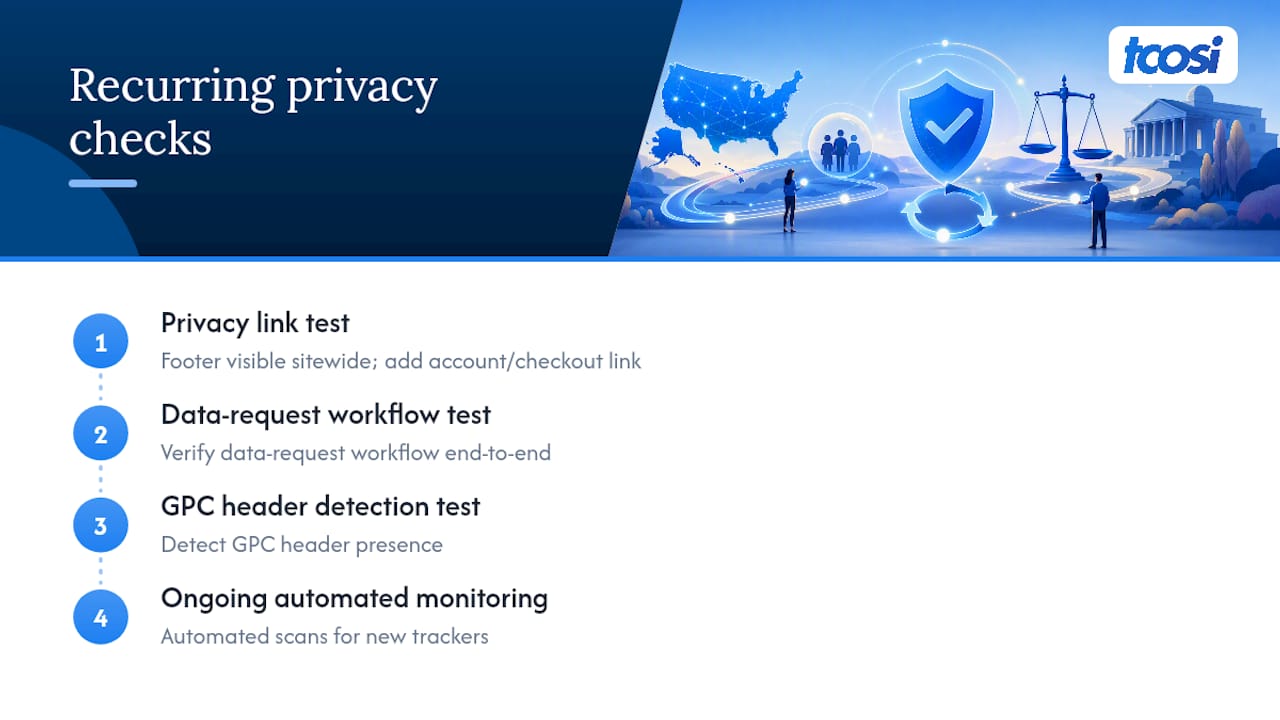
For consent and GPC handling, a consent management plugin paired with your tag manager gives you the cleanest control over blocking scripts until consent, rather than relying on manual script edits. Before launch, run the same four checks every time: privacy link test, data-request workflow test, GPC header detection test, and ongoing automated monitoring for new trackers.
If your site runs multiple ad platforms or you’re not confident configuring tag-blocking logic yourself, that’s usually the point to bring in a developer for a structural review rather than patching it piecemeal.
Publisher perspective: accuracy beats elaborate legal language
Most privacy-policy failures I see aren’t the result of skipping the document entirely. They come from copying a template that describes practices the business doesn’t actually follow. A three-paragraph policy that accurately reflects what your site does will hold up better under scrutiny than ten pages of boilerplate that overpromises.
If you’re a busy owner, start here: pull up your current policy, compare it line by line against what your site actually collects and shares, and fix the gaps this week. Ongoing website maintenance matters here too. Tracking setups change quietly, and a policy nobody revisits becomes inaccurate within a year.
— Tommy Cosimano
How tcosi keeps your privacy policy live and accurate
Writing accurate policy language is only half the job. Getting it correctly published, technically wired to your cookie consent tools, and kept current as your site evolves is where most small businesses fall behind. That implementation can be built directly into WordPress sites: placing the conspicuous privacy link where it belongs, configuring consent and tag-manager tools to actually honor Global Privacy Control, and setting up the request workflow your policy promises visitors.

This work fits naturally into an ongoing website maintenance plan, so your compliance setup gets reviewed alongside routine security and performance updates rather than forgotten until something breaks. Small businesses, professional firms, and nonprofits all lean on this kind of hands-on support because privacy rules keep shifting and nobody has time to track every state update themselves. If your current site needs this kind of structural attention, start with a website audit and quote to see what your specific setup actually needs.
Sources
For binding legal text rather than summaries, go straight to the primary sources: the CalOPPA implementing regulations, the CCPA/CPRA statute and regulations, and the FTC’s COPPA rule. For a broader view of how state laws compare, the state privacy law tracker is updated as new statutes take effect. None of this replaces an actual attorney review of your specific business, especially if you handle sensitive categories like health or financial data.
This article is general information, not a substitute for advice from a qualified lawyer. Consult a qualified legal professional about your own circumstances before acting on anything here.
- Cal. Code Regs. tit. 11, § 7011 (CalOPPA implementing regs)
- CCPA/CPRA regulations (California Privacy Protection Agency)
- Children’s Online Privacy Protection Rule (COPPA) — FTC
FAQ
Is having a privacy policy legally required for a website?
Yes, for nearly any commercial site. CalOPPA requires a conspicuous privacy link for sites collecting personal information from California residents, and since blocking California traffic isn’t practical, this functions as a near-universal requirement.
What must be included in a website privacy policy?
At minimum: categories of personal information collected, sources and purposes, third-party sharing disclosures, user rights and request instructions, a cookies/trackers section, a retention and security statement, and a visible effective date.
What are the main privacy laws in the United States?
The main frameworks are CalOPPA (posting requirements), CCPA/CPRA (detailed disclosures and consumer rights for covered businesses), COPPA (children’s data), and a growing group of twenty state comprehensive privacy laws, each with its own applicability thresholds.
Is GDPR required for U.S. websites?
No. The European Union’s GDPR only applies if you’re actively targeting or processing data from EU residents. U.S. domestic sites follow the opt-out model under CCPA/CPRA and state laws rather than GDPR’s opt-in consent framework, though sites serving EU visitors should still address GDPR basics in their policy.
Do small businesses need to worry about CCPA/CPRA?
Only if you meet specific thresholds: $25 million or more in gross annual revenue, buying or selling data on 100,000 or more California consumers, or deriving half your revenue from selling personal information. Businesses below those thresholds still owe CalOPPA’s baseline disclosures.