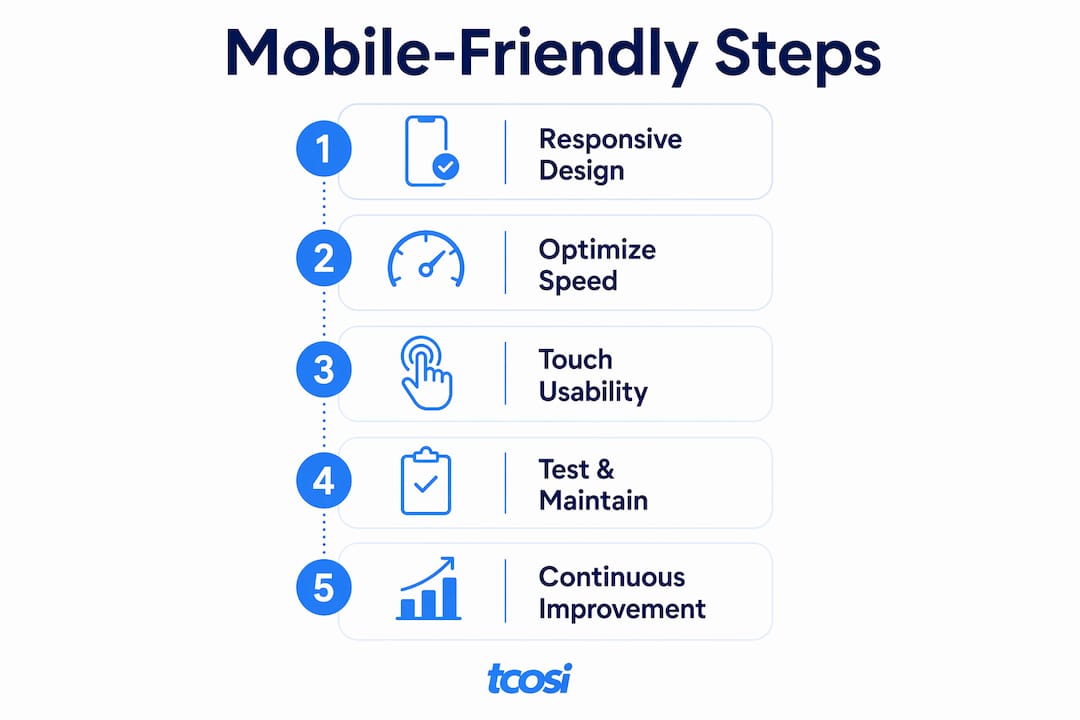
A mobile friendly website is one that loads fast, displays correctly, and works smoothly on any smartphone or tablet. If your site forces visitors to pinch, zoom, or wait more than a few seconds, they leave. For small business owners, that means lost customers. The solution is responsive web design (RWD), the industry standard approach that uses flexible layouts, CSS media queries, and responsive images to adapt pages automatically across screen sizes. This guide covers the core methods: responsive layouts, performance tuning, touch-friendly design, and practical testing tools.
What is responsive web design and how does it make your site mobile friendly?
Responsive web design is the foundation of every well-built mobile site. RWD uses flexible grids, fluid images, and CSS media queries to reflow your layout based on the screen width of the device. One codebase serves every device, from a 375px phone screen to a 1440px desktop monitor.
The alternative, building a separate mobile site, creates two codebases to maintain and often leads to inconsistent content. RWD eliminates that problem entirely.

Mobile-first design takes RWD one step further. You design for the smallest screen first, then progressively add complexity for wider screens. This forces you to prioritize what actually matters on a page, which almost always improves the desktop version too.
The viewport meta tag is one of the most overlooked pieces of mobile friendly website design. Without it, mobile browsers render your page at desktop width and then scale it down, making text tiny and buttons impossible to tap. Add this to your HTML <head>:
<meta name="viewport" content="width=device-width, initial-scale=1">
Key elements of a responsive setup include:
- Fluid grid layouts that use percentages instead of fixed pixel widths
- Flexible images that scale within their containers using
max-width: 100% - CSS media queries that apply different styles at defined breakpoints
- The viewport meta tag for correct scaling on mobile devices
- A mobile-first CSS structure that builds up from narrow screens
Pro Tip: Test your layout at 320px wide. If it still reads clearly at that width, it will work on virtually every phone on the market.
A responsive theme in WordPress or Squarespace gives you a head start. But a responsive theme alone does not guarantee good mobile usability. You still need to test and tune.
How to optimize mobile website performance for fast loading
Slow pages kill mobile engagement. Mobile speed issues affect perceived responsiveness more on phones than on desktops, and even small delays in tap response feel broken to the user. That perception matters as much as raw load time.
Mobile networks are often slower and more variable than home broadband. Your site needs to be lean enough to load well on a 4G connection with one bar of signal.
Here is where most small business sites lose the most ground:
- Images. Uncompressed photos are the single biggest drag on mobile load times. Use tools like Squoosh or ShortPixel to compress images before uploading. Serve modern formats like WebP where supported.
- Responsive images. Use the
srcsetattribute so browsers download only the image size they need. A phone does not need a 2,400px wide hero image. - Lazy loading. Add
loading="lazy"to images below the fold. The browser skips them until the user scrolls down, which speeds up the initial load. - JavaScript. Deferring non-critical scripts improves responsiveness on mobile. Heavy JavaScript blocks the main thread and delays interaction.
- CDN and caching. CDNs and caching reduce latency on repeat visits by serving files from servers closer to your visitor.
Pro Tip: Use Chrome DevTools in mobile emulation mode to throttle your connection to “Slow 3G” and reload your page. What you see is what a visitor on a weak signal experiences.
Prioritize above-the-fold content. The first screen a visitor sees should load almost instantly. Everything below it can load progressively. This technique, called perceived speed optimization, makes your site feel fast even if the full page takes longer to complete. Perceived speed is more critical than raw load time on mobile, and users notice the difference immediately.
For WordPress sites, plugins like WP Rocket or W3 Total Cache handle caching automatically. Platforms like InstaWP can automate caching, CDN, and image optimization for beginners without touching a line of code.
How to enhance mobile usability through design and interaction
Performance gets visitors to your page. Design keeps them there. Mobile usability requires larger tap targets, clear spacing, and simple navigation to work well on small screens. Google recommends tap targets of at least 48×48 pixels with adequate spacing between them.
Think about how people actually hold their phones. Most users navigate with one thumb. Buttons and key actions placed in the top corners of the screen are hard to reach. Place your primary call-to-action within easy thumb range, typically in the center or lower portion of the screen.
Navigation is where many small business sites fall apart on mobile. A full desktop navigation menu with eight items does not work on a 390px screen. Use a hamburger menu or a simplified sticky header with only the most critical links. Every extra tap you require costs you engagement.
Readability matters more on mobile than most owners realize. Use a base font size of at least 16px for body text. Sans-serif fonts like Inter, Roboto, or Open Sans read cleanly on small displays. Avoid long line lengths. A comfortable reading width on mobile is 60–75 characters per line.
Additional design decisions that directly affect mobile user experience:
- Avoid Flash or complex CSS animations that drain battery and slow older devices
- Keep forms short. Every extra field on a mobile form reduces completion rates.
- Make phone numbers and email addresses tappable links so users can act immediately
- Ensure critical actions are accessible without excessive scrolling or zooming
Pro Tip: Run your site through a heatmap tool like Hotjar on mobile. You will see exactly where users tap, scroll, and drop off. That data is worth more than any checklist.
Mobile website accessibility overlaps directly with usability. Sufficient color contrast, descriptive link text, and logical heading structure all improve the experience for every visitor. For a deeper look at this topic, the website accessibility guide at tcosi covers the full picture.
How to test and maintain a mobile-friendly website effectively
Building a mobile-friendly site is not a one-time task. Devices change, browsers update, and your content grows. Regular testing keeps your site working well for every visitor.
Start with these four testing steps:
- Chrome DevTools. Open DevTools, click the device toolbar icon, and test your site across preset device sizes. Throttle the network to simulate slow connections. Chrome DevTools and WebPageTest together give you a clear picture of real-world mobile performance.
- Real device testing. Emulators are useful but imperfect. Test on at least one actual iPhone and one Android device. Tap every button. Fill out every form. Read every page.
- WebPageTest. Run a test at webpagetest.org using a mobile device profile and a 4G connection. The waterfall chart shows exactly which assets are slowing your load.
- Google Search Console. The Mobile Usability report flags specific pages with issues like text too small to read, clickable elements too close together, and viewport not set.
Common issues to watch for during testing:
| Issue | What to check |
|---|---|
| Slow image loading | File size, format (WebP vs. JPEG), and lazy loading |
| Broken layouts | Overflow content, fixed-width elements, and missing viewport tag |
| Hidden or tiny buttons | Tap target size and spacing between interactive elements |
| Unreadable text | Font size, line height, and contrast ratio |
| Drop-offs on key pages | Device-segmented analytics in Google Analytics 4 |
Analytics segmented by device reveals mobile-specific drop-offs that aggregate data hides. If your mobile bounce rate is significantly higher than desktop on a specific page, that page has a problem worth fixing. Pair analytics with session replays and tap maps for the clearest picture of what is actually happening.
Review your site for mobile compatibility every time you add new content, install a plugin, or update your theme. Small changes can break layouts in ways that are only visible on a phone. Staying on top of common SEO and performance issues is part of keeping a mobile-friendly site healthy long term.
Key takeaways
Making a website mobile friendly requires responsive design, fast performance, touch-friendly usability, and consistent testing working together as a complete system.
| Point | Details |
|---|---|
| Responsive design is the foundation | Use flexible grids, CSS media queries, and the viewport meta tag on every page. |
| Performance starts with images | Compress images, use WebP format, and add lazy loading to cut load times significantly. |
| Design for thumbs, not cursors | Use tap targets of at least 48×48 pixels and place key actions within easy thumb reach. |
| Test on real devices | Emulators miss real-world issues. Test on actual phones and use Chrome DevTools to simulate slow networks. |
| Monitor device-segmented analytics | Google Analytics 4 and Google Search Console reveal mobile-specific problems that desktop data hides. |
Why mobile-first thinking changes everything
I have worked on enough small business websites to say this plainly: most mobile problems are not technical failures. They are design decisions that were never made with a phone in mind.
The most common pattern I see is a business owner who invested in a beautiful desktop site, installed a responsive theme, and assumed the job was done. A responsive theme is a starting point, not a finish line. A responsive theme alone does not guarantee good mobile usability without further testing and optimization. I have seen responsive sites where the contact form was completely hidden on mobile, the phone number was not a tappable link, and the hero image added four seconds to the load time.
The other thing I push back on is the idea that mobile optimization means stripping your site down to nothing. You can tell your brand story, use quality photography, and still have a fast, clean mobile experience. The key is making intentional choices about what loads first and what can wait.
What I tell every client is this: open your site on your phone right now. Not in a browser preview. On your actual phone, on your actual cellular connection. That experience is what your customers see. If it feels slow, cluttered, or hard to navigate, it is costing you business. The fix is almost always simpler than people expect. It just requires looking at the right things in the right order.
For more on how design decisions affect the full user experience, the storytelling in web design guide covers how to balance brand depth with performance on any device.
— Tommy Cosimano
Ready to get professional help with your mobile site?
If testing your site on your phone revealed problems you are not sure how to fix, that is exactly where tcosi can help. Tommy Cosimano builds custom WordPress websites designed to perform well on every device, from the first line of code to the final QA check on a real phone.
Whether you need a full redesign or targeted improvements to an existing site, tcosi handles the technical side so you can focus on running your business. Every project includes mobile-first design, performance tuning, and ongoing support. Visit tcosi.com to learn more about working together, or explore the right web designer guide if you are still weighing your options.
FAQ
What does it mean to make a website mobile friendly?
A mobile friendly website loads fast, displays correctly, and works smoothly on smartphones and tablets without requiring pinching or zooming. Responsive web design is the standard method for achieving this across all screen sizes.
Is a responsive theme enough to make my WordPress site mobile friendly?
A responsive theme is a good starting point but not a complete solution. You still need to optimize images, test on real devices, and check that navigation and buttons work correctly on small screens.
How do I test if my website is mobile friendly?
Use Google Search Console’s Mobile Usability report to find specific page-level issues. Pair that with Chrome DevTools and WebPageTest to simulate real mobile networks and identify slow assets.
What is the most common reason mobile sites load slowly?
Uncompressed, oversized images are the leading cause of slow mobile load times. Compressing images and serving them in WebP format produces the fastest improvement with the least technical effort.
Does mobile usability affect my Google search rankings?
Google uses mobile-first indexing, meaning it primarily uses the mobile version of your site to determine search rankings. A slow or broken mobile experience directly hurts your visibility in search results.