A website accessibility audit is a structured check of your site against a written standard, almost always WCAG (the Web Content Accessibility Guidelines), at Level AA. It combines automated scans, manual testing and assistive technology, and it ends in a list of specific problems you can fix. I build and maintain WordPress sites for small businesses, and the audit is only half the job: the findings have to be fixed in the site itself, and that is where most owners get stuck.
Below is what an audit tests, a checklist you can run yourself this week, what drives the cost, and what to do with the report.
TL;DR
- An accessibility audit measures your site against WCAG, usually Level AA, using automated tools, manual checks and assistive technology.
- A scan alone is not an audit. W3C says no single tool can determine accessibility, and ADA.gov warns that a clean automated report is not proof.
- Audit scope is built around your page templates and key flows (home, service page, contact form, checkout), not every URL.
- An audit documents problems. Fixing them is separate work, and on WordPress it usually means theme, plugin and content changes.
- Retest after fixes so the report becomes a record that issues were resolved.
Table of Contents
- What a website accessibility audit actually is
- Which standard is the audit measured against?
- Automated, manual and assistive-technology testing
- A website accessibility audit checklist you can run yourself
- Scope: why you audit templates, not every page
- What does an accessibility audit cost?
- What to do with the results
- Perspective
- Getting the findings fixed
- FAQ
- Sources
What a website accessibility audit actually is
An audit answers one question: can people with disabilities use this site, measured against a named standard? The W3C Web Accessibility Initiative describes evaluation as determining how well pages meet accessibility standards, and it says knowledgeable human evaluation is necessary. Google’s web.dev describes the same idea: you test against a standard and a conformance level, using design review, automated tests, manual tests and assistive technology.
That last part matters. Someone who is blind may use a screen reader. Someone with a motor disability may use only a keyboard. Someone with low vision may zoom the page to 200% or more. An audit checks your site the way those people use it.
If the basics are new to you, my overview of what website accessibility means covers the ground before you audit. If you want the broader picture of site reviews, see what a website audit is.

Which standard is the audit measured against?
WCAG has three conformance levels: A, AA and AAA. The W3C’s WCAG 2.2 says a page conforms at Level AA only if it meets every Level A and Level AA success criterion. It also says Level AAA should not be required as a general policy for whole sites, because some content cannot meet it.
For most businesses, the target is Level AA. The University of Washington’s DO-IT center notes that most US laws, policies and legal settlements point to WCAG 2.1 or 2.0 Level AA as the measuring stick.
A few US specifics worth knowing:
- Federal agencies follow Section 508. The Revised 508 Standards incorporate WCAG 2.0 Level AA, and a page that fails even one applicable success criterion does not conform.
- State and local governments fall under ADA Title II. The April 24, 2024 final rule requires WCAG 2.1 Level AA for covered web content and mobile apps. Compliance dates have been a moving target, so check ADA.gov for the current schedule.
- Private businesses are not covered by that Title II rule, but ADA.gov’s web guidance says accessible web content supports equal access and applies to businesses and other covered organizations.
My practical advice: audit to WCAG 2.1 Level AA at a minimum, and use WCAG 2.2 AA if you are building or redesigning now. Our guide to ADA website compliance fixes walks through the changes most small sites need to make.
Automated, manual and assistive-technology testing
Good audits layer three kinds of testing.
Automated scans
Free scanners and browser extensions find the machine-detectable problems fast: missing alt attributes, empty buttons, missing form labels, some contrast failures. They are a great starting point. They are not the finish line. WebAIM’s evaluation guide says its checks are not an exhaustive test of WCAG 2 and recommends keyboard and screen-reader testing on top of automated tools.
Manual checks
A person looks at what a tool cannot judge: whether alt text actually describes the image, whether headings make sense as an outline, whether link text means something out of context, whether an error message tells you how to fix the problem.
Assistive technology
This means testing with a screen reader and with keyboard-only navigation, then on a phone. The Massachusetts Web and App Accessibility Testing Checklist lays out six levels: automated tests, bookmarklets and contrast tools, manual checks of visible content, keyboard checks, operating-system and browser settings, and assistive technology on desktop and mobile.
A website accessibility audit checklist you can run yourself
This is a first-pass checklist built from official guidance. It will not replace a full expert audit, but it will show you where you stand and give you real findings to act on. Test your home page, one service or product page, your contact form, and any checkout or booking flow.
1. Keyboard navigation
Put your mouse aside and use Tab, Shift+Tab, Enter and Space. The Massachusetts checklist asks you to confirm several things:
- A skip-to-main-content link exists.
- Keyboard focus is always visible.
- Focus order is logical.
- Every interactive component (menus, accordions, modals, forms) works with the keyboard.
The Texas State Library and Archives Commission FAQ also recommends keyboard-only navigation as a core test. A common failure: a dropdown menu that opens on hover and cannot be reached with Tab.
2. Zoom and reflow
Zoom the browser to 200%, then 400%. The Massachusetts checklist repeats its keyboard checks at both levels. Content should stay readable, nothing should be cut off or overlap, and you should not have to scroll sideways in two directions to read a paragraph.
3. Color and contrast
ADA.gov’s web guidance names color contrast and cues beyond color as practical checks. Look at body text, buttons, placeholder text and links. If an error is shown only by turning a field red, it fails: add text or an icon too.
4. Images and media
- Informative images have alt text that says what the image conveys.
- Decorative images are marked so screen readers skip them.
- Videos have synchronized captions, as the ADA.gov guidance points out.
5. Headings and structure
Use one clear H1, then H2s and H3s in order. Screen reader users jump from heading to heading, so the outline should read like a table of contents.
6. Forms
Every field needs a visible, properly connected label. Error messages should say what went wrong and how to fix it. Contact forms are often the revenue point of a small business site, so test this one twice.
7. Screen reader pass
Turn on the screen reader built into your computer or phone and move through your home page. Does it announce the page title, the navigation, the buttons and the form fields in a way that makes sense? Even ten minutes shows you things no scanner will.
A useful side effect: many of these fixes also help search. If you want to see how the two connect, this piece on web accessibility and SEO is a good companion read before you start.
Scope: why you audit templates, not every page
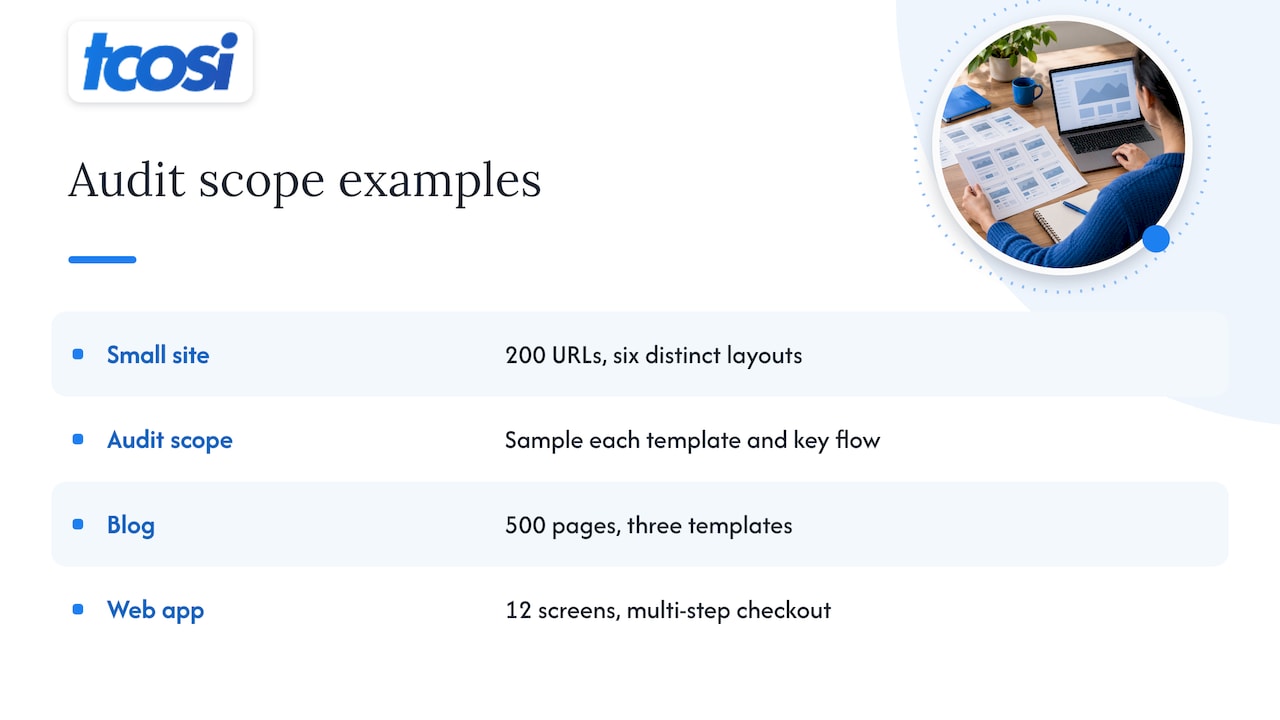
A small business site might have 200 URLs but only six distinct layouts. Accessibility problems live in templates, components and flows. If your service page template has a broken accordion, it is broken on every service page. A sensible audit scope samples each unique template and each key user flow (find a service, fill out the contact form, buy something, book something).
This is also why a 500-page blog on three templates is a smaller job than a 12-screen web app with multi-step checkout. Define your scope before you start: which pages, which browsers and devices, which standard and level.
What does an accessibility audit cost?
Cost follows the work involved, and the work follows these factors:
- How many unique templates and screens are in scope
- How interactive the site is (forms, carts, filters, video players, custom widgets)
- Which conformance level and WCAG version you want
- Which assistive technologies and devices are tested
- How much documentation you need, and whether retesting after fixes is included
Quotes vary a lot with these inputs, and a simple brochure site sits at the low end of any range. Two things lower what you spend. First, run the automated scan and clean up the obvious issues before an expert looks, so expert hours go to judgment calls instead of cataloging missing alt text. Second, keep the scope tight and tied to your real templates.
One thing to confirm with anyone you hire: does the price include only the report, or the fixes too? Usually an audit documents the problems and remediation is separate.
What to do with the results
A good report ties every finding to the WCAG success criterion it fails, shows where it happens, and gives you enough detail to reproduce it. Then you work through it in this order:
- Fix what blocks people first. A form that cannot be submitted by keyboard, or a menu that traps focus, stops someone cold. A slightly low contrast on a footer link does not.
- Sort fixes by who does them. Content issues such as alt text and captions can usually be handled by your own team. Code-level problems, like incorrect ARIA or broken focus handling in a theme, need a developer.
- Fix at the template level. One change to a header template can clear the same issue on every page.
- Retest. Rerun the affected checks, mark each finding resolved, and keep the dated record.
- Build it into your routine. New pages, plugin updates and redesigns can all reintroduce problems. Our website QA process shows a release gate that small teams can run before anything goes live.
Section 508 data shows why the retest habit matters. Vervali’s summary of the GSA’s FY 2025 assessment says only 37% of agencies’ top-viewed public web pages fully conformed, which tells you even well-resourced organizations struggle to keep pages conformant without verification.
Perspective
Most small business owners come to accessibility the same way: a customer complaint, a demand letter, a client contract that asks for it, or a nagging worry. The first instinct is to buy a scan and hope it comes back green.
We think about it differently. An audit is a map, and a map does not move you anywhere. The real value is in what happens next: someone who understands both the report and the WordPress site has to turn each finding into a change in the theme, a plugin setting or a piece of content, and then confirm it held.
That is the gap we work in. We sit between the business owner and the technical side of the web, explain each finding in plain language, and make the changes in a way you can follow. Building accessibility into the design and development from the start costs less than patching it later, which is why we treat it as part of a build and not an add-on.
If you take one thing from this article, make it this: scan, then test by hand, then fix at the template level, then retest. Do it on a schedule, not once.
Tommy Cosimano
Getting the findings fixed
I offer technical website audits, custom WordPress design and development, and ongoing site support. That combination is useful here because the people who find a problem in your site can also fix it in the site. If your site needs more than patches, a redesign built on accessible layouts is often the cleaner route, and our Essentials package starts at $1,200.
For sites that are already in good shape, ongoing maintenance at $100 per month covers content updates and plugin and security management, which helps keep new updates from undoing accessibility work. You can see everything we offer on the tcosi home page.

Agencies that need accessible builds for their own clients can also look at our white-label WordPress development.
FAQ
What is a website accessibility audit?
It is a structured evaluation of your website against a standard, usually WCAG 2.1 or 2.2 Level AA. It uses automated tools, manual review, keyboard testing and assistive technology such as screen readers. The result is a list of specific issues and where they occur.
Is an automated accessibility scan enough?
No. The W3C says no single tool can determine accessibility, and ADA.gov cautions that a clean automated report does not prove a site is accessible. Scans are a good first step because they find many technical errors quickly. Manual and assistive-technology testing catch the rest.
What should an accessibility audit checklist include?
At minimum: keyboard navigation with visible focus, a skip link, zoom to 200% and 400%, color contrast, alt text, video captions, heading structure, labeled forms with clear error messages, and a screen reader pass. Test your home page, a typical content page, your forms and any checkout or booking flow.
How often should I audit my site?
Audit before a launch or redesign, after major theme or plugin changes, and on a regular schedule, such as once a year. Run quick keyboard and scan checks whenever you publish new templates or features.
Does my small business need to follow WCAG?
The state and local government rule under ADA Title II requires WCAG 2.1 Level AA. Private businesses are not covered by that rule, but ADA.gov’s guidance says accessible web content supports equal access, and most legal settlements point to WCAG AA. Building to that level is the safest, most useful target.
Sources
- Evaluating Web Accessibility Overview, W3C WAI
- How is digital accessibility measured? web.dev
- Web Content Accessibility Guidelines (WCAG) 2.2, W3C
- Which set of web accessibility standards should I comply with? DO-IT, University of Washington
- Applicability & Conformance Requirements, Section508.gov
- Federal Register, April 24, 2024 ADA Title II final rule
- Guidance on Web Accessibility and the ADA, ADA.gov
- Web and App Accessibility Testing Checklist, Commonwealth of Massachusetts
- Website Accessibility and ADA Title II FAQ, Texas State Library and Archives Commission
- WebAIM: Web Accessibility Evaluation Guide
- Accessibility Testing Services in 2026, Vervali (citing GSA’s FY 2025 Section 508 assessment)