Brand color selection is the process of matching your visual palette to your business personality, industry context, and accessibility standards so your website builds trust from the first glance. Most small business owners skip the strategy and pick colors based on personal preference. That approach leads to inconsistent designs that fail to communicate what the business actually stands for. The good news is that a clear process exists. When you choose brand colors for your website using the right framework, you end up with a palette that works across every page, every device, and every screen size.
How to choose brand colors for your website using personality mapping
The most common mistake in color selection is skipping the strategy entirely. Most business owners choose colors based on feeling instead of brand strategy, which leads to inconsistent designs that are hard to maintain or scale. The fix is simple: start with words, not colors.

Write down 3–5 adjectives that describe how you want your brand to feel. Think about what a first-time visitor should experience. Words like “trustworthy,” “energetic,” “calm,” “premium,” or “approachable” each point toward specific color families. This is the foundation of branding color psychology applied to real business decisions.
Here is how common adjectives map to color families:
- Trustworthy, dependable, professional: Blue tones. Used widely in finance, healthcare, and legal services.
- Growth, health, sustainability: Green tones. Common in wellness, agriculture, and eco-friendly brands.
- Energy, urgency, passion: Red and orange tones. Effective for food, fitness, and retail.
- Premium, luxury, sophistication: Deep navy, black, or rich purple. Strong in fashion and high-end services.
- Friendly, optimistic, creative: Yellow and warm tones. Works well for education and children’s brands.
The key is to avoid picking a color just because a competitor uses it or because you personally like it. Personality adjectives ensure your color choices stay purposeful and consistent across every touchpoint.
Pro Tip: Write your 3–5 adjectives before you open any color tool. Lock in the words first, then let those words guide the palette. Reversing this order almost always produces colors that feel off-brand.
What is the 60/30/10 rule for website color distribution?
The 60/30/10 rule is the industry standard for distributing colors across a website. It gives you a clear formula for how much of each color to use so the design feels balanced rather than chaotic.
Here is what each percentage means in practice:
| Percentage | Role | Example use |
|---|---|---|
| 60% | Dominant neutral (background) | White, off-white, light gray for page backgrounds |
| 30% | Secondary brand color | Headers, section backgrounds, navigation |
| 10% | Accent color | Call-to-action buttons, links, highlights |
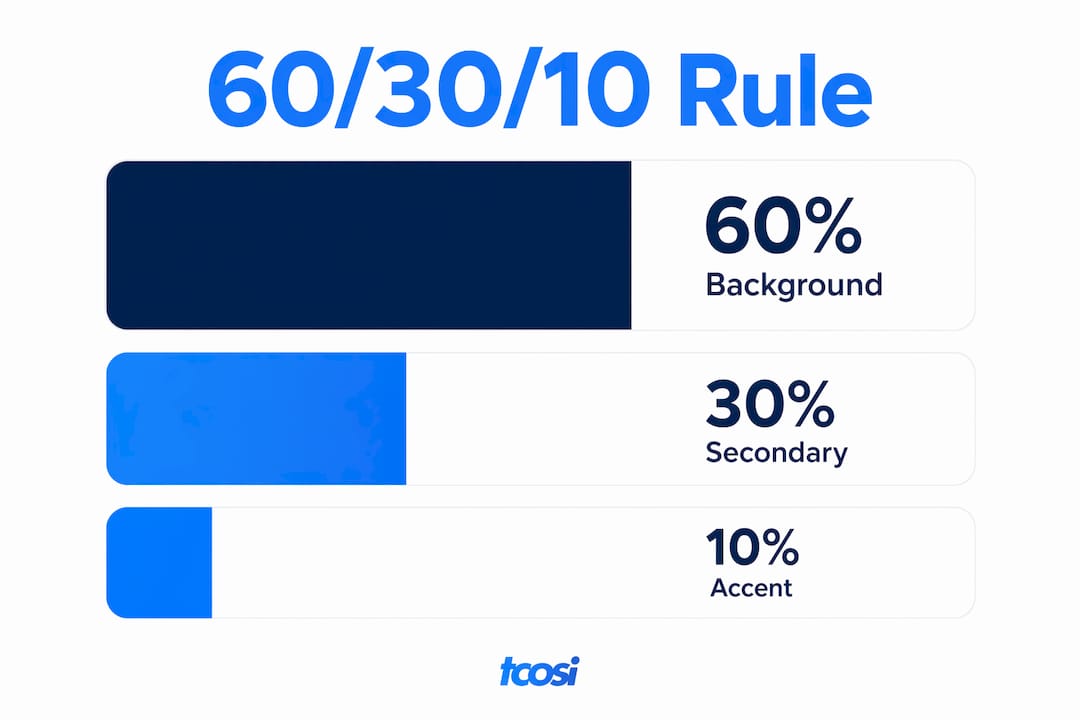
The 60% is almost always a neutral. Neutrals occupy the largest surface area on any website, and near-blacks, off-whites, and grays provide visual calm that lets your brand colors breathe. Skimping on neutral quality is one of the fastest ways to make a site look cheap.
The 30% secondary color carries your brand’s personality. It shows up in section headers, sidebar backgrounds, and navigation bars. This is where your blue, green, or whatever color you mapped to your adjectives does most of its work.
The 10% accent is your most powerful tool. It draws the eye to the exact spots you want visitors to click or read. Use it on buttons, links, and key callouts. Using more than one strong accent causes visual competition and confusion, so pick one dominant accent and keep secondary accents muted.
Pro Tip: Build a simple mockup of your homepage using only three rectangles in your 60/30/10 split before you touch any real design software. If the proportions feel wrong at that stage, fix them before investing hours in a full layout.
How do you make sure your colors meet web accessibility standards?
Web accessibility is not optional. The Web Content Accessibility Guidelines, known as WCAG 2.1, set the legal and ethical baseline for color contrast on websites. Approximately 15% of the population has some form of color vision deficiency. That is a significant portion of your potential customers who cannot read your site if your contrast ratios are too low.
WCAG 2.1 requires a minimum contrast ratio of 4.5:1 for normal body text and 3:1 for large text. These ratios measure the difference in luminance between your text color and its background. A dark gray text on a white background easily clears 4.5:1. Light yellow text on a white background almost never does.
“Accessibility built into your color system from the start costs far less than retrofitting it after launch. One contrast failure can affect every page on your site.”
Practical steps to check your colors before launch:
- Use the WebAIM Contrast Checker to test any text and background color pair.
- Run your full palette through a color blindness simulator such as Coblis or Colour Contrast Analyser.
- Check both light and dark mode versions of your site if you plan to support both.
- Read more about website accessibility standards to understand the full scope of compliance requirements.
Accessibility is also good for SEO. Search engines favor sites that serve all users well. Building contrast compliance into your palette from day one protects you legally and commercially.
Professional tips for building a scalable website color palette
A single HEX code is not a color system. A complete brand color system includes 11 or more shades per hue, ranging from very light to very dark. This scale gives you the flexibility to handle dark mode, disabled states, hover effects, and background tints without improvising on the fly.
Here is a practical process for building a palette that holds up across your entire site:
- Start with your core hue. Pick the single color that best represents your brand based on your personality adjectives. This becomes the anchor for your shade scale.
- Build a light-to-dark scale. Generate shades from near-white (50 on a 50–950 scale) to near-black (950). Most design systems use 11 stops. Tools like Tailwind CSS’s color palette or Radix Colors give you a reference structure.
- Define your neutral scale separately. Your neutral grays need their own full scale. Warm neutrals pair with warm brand colors. Cool neutrals pair with blues and greens.
- Plan your interactive states upfront. Every interactive element needs at least three color states: default, hover, and active or pressed. Designing these states before launch prevents broken interfaces and inconsistent button behavior.
- Test on real surfaces. Colors that look good in a swatch often fail in actual UI contexts. Put your palette on a real homepage layout, a real button, and a real form field before you commit.
- Check dark mode. If your site supports dark mode, every color in your palette needs a dark-mode equivalent. A vibrant blue that works on white can wash out completely on a dark background.
Professional website design accounts for all of these states from the start. Retrofitting a color system after a site is built takes significantly more time than planning it correctly upfront.
How do you audit competitor colors to make your brand stand out?
Auditing competitor colors is a step most small business owners skip entirely. Choosing distinct colors increases brand recall and visibility, but you need to know what you are differentiating from before you can make that call strategically.
Start by collecting the primary colors from the top five to eight websites in your industry. Look for patterns:
- Finance and legal: Heavy use of navy blue and dark gray. Conforming signals trust. Differentiating with a deep green or burgundy can make you memorable without sacrificing credibility.
- Health and wellness: Soft greens, teals, and whites dominate. A warm terracotta or deep plum can set a wellness brand apart immediately.
- Technology and SaaS: Blues and purples are everywhere. Brands that use a confident orange or a warm yellow often stand out sharply in this space.
Competitive color audits help you decide when to adopt familiar colors for trust and when to differentiate to stand out. The decision depends on your positioning. If you want to signal that you belong in a category, lean toward category conventions. If you want to signal that you are different, pick a color that no one else in your space is using.
The goal is not to be different for its own sake. The goal is to be recognizable and distinct at the same time. A website redesign that ignores competitive color context often produces a site that looks fine in isolation but disappears in a crowded market.
Key takeaways
Choosing brand colors for a website requires a structured process: map personality adjectives to color psychology, apply the 60/30/10 distribution rule, meet WCAG 2.1 contrast standards, build full shade scales, and audit competitors before finalizing your palette.
| Point | Details |
|---|---|
| Start with adjectives | Write 3–5 brand personality words before picking any colors to keep choices purposeful. |
| Apply the 60/30/10 rule | Use 60% neutral backgrounds, 30% secondary brand color, and 10% accent for CTAs. |
| Meet WCAG 2.1 contrast | Body text needs a 4.5:1 contrast ratio; large text needs 3:1 to serve all users. |
| Build full shade scales | Plan 11+ shades per hue and three interactive states per element before launch. |
| Audit competitors first | Review the top 5–8 competitors to decide whether to conform or differentiate strategically. |
What I’ve learned about color choices that most guides won’t tell you
Most color guides focus on picking pretty colors. What they skip is the maintenance problem. I’ve worked with small business owners who launched with six or seven colors because they liked them all. Within a year, their site looked like a patchwork quilt. New pages got new colors. Buttons were three different shades of blue. Nobody could remember which green was the “brand green.”
The real discipline in choosing a website color palette is subtraction, not addition. Most professional websites use 3–5 colors total. That constraint feels limiting at first. In practice, it forces you to make every color earn its place.
The other thing I see constantly is business owners treating accessibility as a finishing step. They pick their colors, build the whole site, and then run a contrast check at the end. When the check fails, they either ignore it or make small tweaks that break the visual consistency they spent weeks building. Starting with contrast compliance as a design constraint, not an afterthought, saves real time and real money.
My honest advice: spend more time on your neutrals than on your accent colors. Your accent color gets all the attention, but your neutrals cover 60% of your site. A well-chosen off-white or warm gray makes everything else look better. A flat, generic neutral makes even a great accent color look ordinary.
— Tommy Cosimano
Working with tcosi on your website’s color strategy
Color strategy is one of the first conversations I have with every new client at tcosi. Getting it right before a single line of code is written saves weeks of revision later.
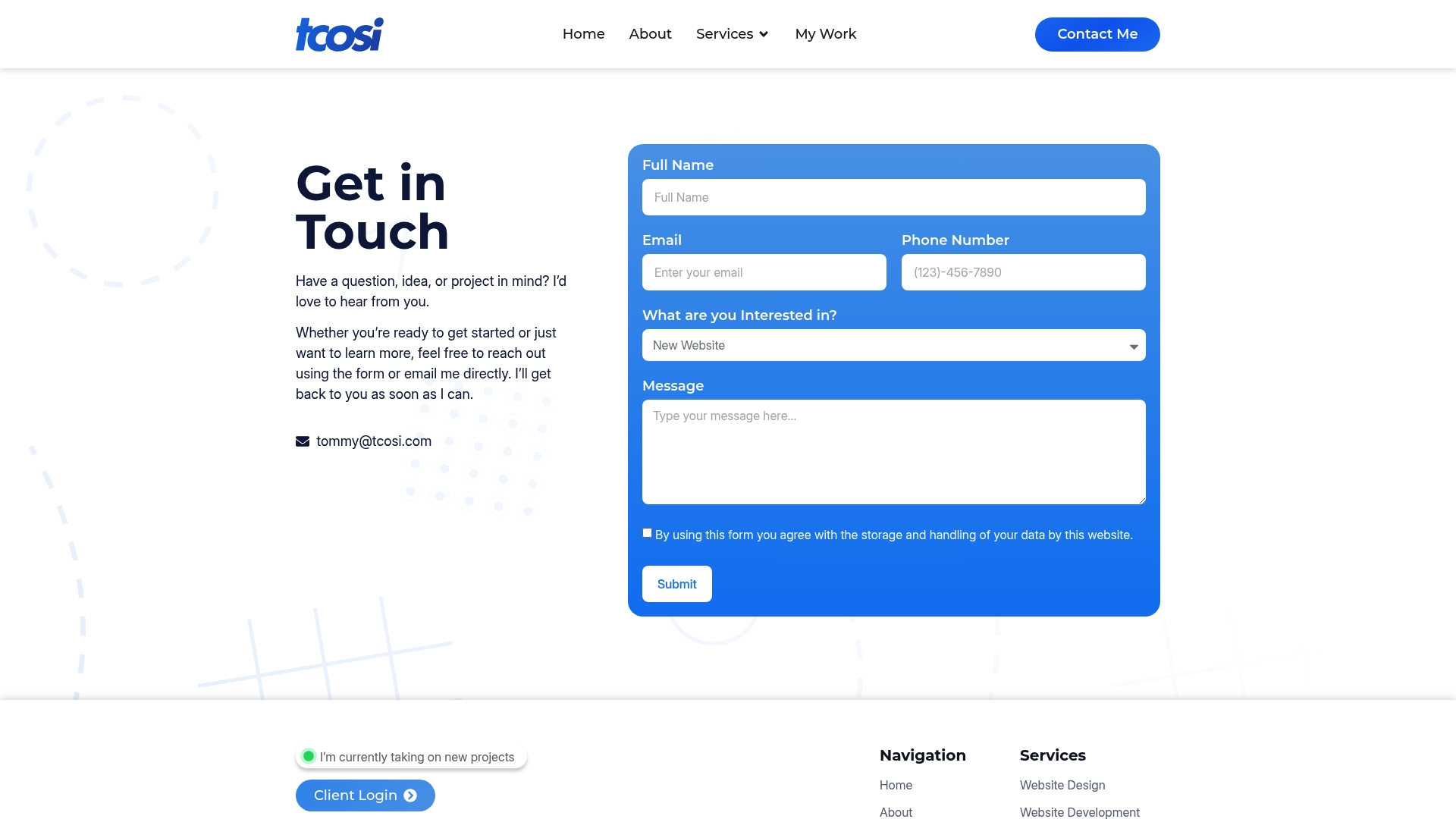
At tcosi, I build custom WordPress websites that integrate your brand colors into every element from the start, including buttons, forms, typography, and dark mode support. Whether you are starting from scratch or your current site has outgrown its original design, I can help you build a color system that holds up long-term. Every project includes thoughtful color planning, accessibility review, and a design process that keeps you informed at every step. If you are ready to build a site where the colors actually work for your business, let’s talk.
FAQ
What is the best number of colors for a website?
Most professional websites use 3–5 colors. Going beyond 6–8 colors creates visual noise and makes consistency harder to maintain across pages.
How do I pick brand colors if I have no design background?
Start by writing 3–5 adjectives that describe your brand’s personality, then map those words to color families using basic color psychology principles like blue for trust or green for growth.
What contrast ratio do I need for website text?
WCAG 2.1 requires a minimum contrast ratio of 4.5:1 for normal body text and 3:1 for large text to meet accessibility standards and serve users with color vision deficiencies.
How does the 60/30/10 rule work for website colors?
The 60/30/10 rule allocates 60% of your site’s visual space to a neutral background color, 30% to your secondary brand color, and 10% to a high-contrast accent used on buttons and key highlights.
Should I look at competitor websites before choosing my colors?
Yes. Auditing the top 5–8 competitors in your industry shows you which colors dominate your category, so you can decide whether to align with those conventions for trust or differentiate to stand out.