The best managed WordPress host is the one that matches how much your website earns you. For a brochure site, a value-priced managed plan is usually enough. For a store, a membership site or a site that sends you leads every day, a premium host such as WP Engine or Kinsta is easier to justify. For agencies, the deciding factor is client-handoff tooling.
I build and maintain WordPress sites for a living, so I see which hosting choices cause trouble a year later. This guide compares the main options on what matters, shows what the prices really look like, and tells you where a host stops and where a maintenance partner starts.
TL;DR
- “Managed” is a spectrum. Some plans only pre-install WordPress on a shared server, while others are built around WordPress.
- Entry-level managed plans run roughly $9 to $30 a month. Premium hosts often start around $30 to $35 a month billed monthly.
- Watch renewal prices, visit limits and missing staging. A cheap promo rate can double at renewal.
- Hosting keeps the server healthy. It does not update your content, fix a broken layout or watch your SEO. That is a separate job.
- Agencies should look for staging, Git, SSH and transferable sites before price.
Table of Contents
- What managed WordPress hosting actually includes
- How the main managed WordPress hosts compare
- What managed WordPress hosting costs
- Is managed WordPress hosting worth it?
- Choosing by who you are
- Perspective: hosting is the foundation, not the whole job
- Where tcosi fits
- A short checklist before you buy
- FAQ
- Sources
What managed WordPress hosting actually includes
On a standard shared plan, you get server space and you handle everything else. On a managed plan, the host takes on server-level security hardening, daily backups with one-click restore, and automatic updates to WordPress core and plugins. OVHcloud’s documentation describes this kind of service as one that manages hosting, security and maintenance for you.
That is a real benefit for a business owner. The less time you spend on server chores, the less likely a missed update becomes a hacked site.
But the word “managed” is stretched. Industry reviewers point out that some platforms simply pre-install WordPress on a shared server, while others are fully integrated ecosystems. Two plans can both say “managed” and be very different products.
The features that separate real managed hosting from the label
When I compare plans for a client, I check these first:
- Staging environment. A private copy of the site where updates get tested before they go live. If you want to see how this works in practice, I wrote about safe ways to build a WordPress staging site.
- Backups you can restore yourself. Daily at minimum, with a clear retention period. My view on retention is in a WordPress backup strategy built on 30 days of immutable copies.
- Server-level caching. Caching that understands WordPress, not a generic layer bolted on.
- CDN. Delivers images and files from a location close to the visitor.
- Support that knows WordPress. Not a script reader who tells you to clear your browser cache.
- Clear limits. Visits, storage and the price of going over.
Basic plans often leave out staging, site-specific security hardening and CDN. One review of GoDaddy’s hosting calls skipping those features a common pitfall that leads to higher costs when you are forced to move to a better tier. I agree. I have seen owners migrate twice in two years because the first plan was a few dollars cheaper.
How the main managed WordPress hosts compare
No single host wins for everyone. Here is how the names that come up most often line up for a US small business, based on the sources I used and on what I see in client projects.
| Host | Best for | Watch out for |
|---|---|---|
| WP Engine | Business sites, high traffic, client sites | Priced above value hosts, plan limits on visits |
| Kinsta | Premium performance for growing sites | Starts at the premium end of the range |
| Cloudways | Managed cloud hosting at a lower starting price | More hands-on than a fully managed host |
| Pressable | Agencies and client sites | Fewer small-business-focused extras |
| Nexcess | WooCommerce stores | Best value mostly for store-heavy sites |
| GoDaddy Managed WordPress | Owners already inside the GoDaddy ecosystem | Renewal jumps, add-on upselling |
| Value hosts (Hostinger, SiteGround, Bluehost) | Simple sites on a tight budget | Staging and advanced tools vary by plan |
The pairings of Kinsta as the premium pick, Cloudways as the lower-cost managed cloud option, WP Engine and Pressable for client sites, and Nexcess for WooCommerce come from this 2026 comparison of eight hosts. The rest of the table reflects my own experience, so treat it as a starting point and read each host’s current terms.
WP Engine
WP Engine is the host I most often see on serious business sites. One 2026 analysis names it the best hosting for high-traffic sites, crediting its EverCache system and autoscaling architecture on AWS. Its pricing page lists an Essential plan described as a reliable foundation with updates, backups and security handled for you. Plans and prices change, so check WP Engine’s plans page before you budget.
Kinsta
Kinsta sits at the premium end. The case for WP Engine and Kinsta over cheaper hosts is architectural. According to TechGuard’s analysis, their infrastructure is tuned for WordPress, with server-level caching that understands states like WooCommerce sessions. That helps time to first byte and stability during traffic spikes. Kinsta is a good fit if your site gets real traffic and every slow page costs you a lead.
Cloudways and Pressable
Cloudways gives you managed cloud hosting at a lower starting price, but you take on a little more of the setup. Pressable is aimed at agencies and client work. If you build sites for other people, these two are worth a look alongside WP Engine.
GoDaddy Managed WordPress
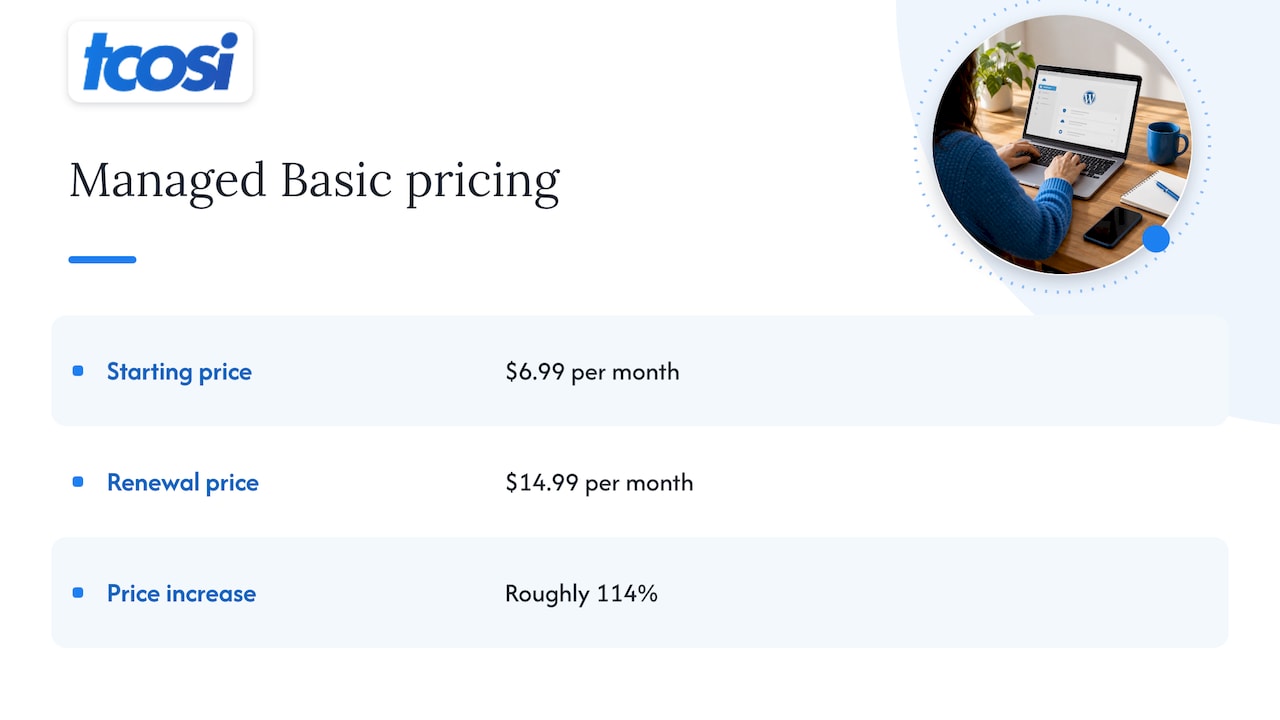
GoDaddy sells two different WordPress products, which confuses a lot of buyers. As of July 2026, BearHost’s pricing breakdown separates “Hosting for WordPress”, a shared variant, from “Managed WordPress”, the premium line that unlocks staging and CDN integration on higher plans. The same breakdown shows the Managed Basic plan starting at $6.99 a month and renewing at $14.99, a jump of roughly 114%.
On top of that, one 2026 review flags relentless upselling and extra charges for Site Security and daily backups on some plans. HostAdvice’s review does show strong benchmark results, so performance is not the issue. Read the renewal terms and the add-on list before you commit.
WordPress.com and value hosts
WordPress.com is positioned by Jetpack’s comparison as an all-in-one option for businesses and creators, and Bluehost as a budget entry point. That comparison dates from 2023, so confirm current plans. Value hosts can be a sensible home for a simple five-page site. Just confirm you get staging and daily backups before you pay.
What managed WordPress hosting costs
Here is what the research shows for 2026:
- Entry-level managed plans typically range from about $9 to $30 a month.
- Premium hosts such as Kinsta and WP Engine often start around $30 to $35 a month billed monthly, while value-oriented managed plans can be as low as $9 to $11.
- WP Engine lists its Essential plan at $20 a month on annual billing, according to its plans page.
Treat those as ranges, not quotes. Hosts change pricing often, and sources disagree on exact numbers.
The number on the sign-up page is rarely the number you pay long term. Here is how I compare plans:
- Find the renewal price, not the promo price.
- Ask what the billing term is. A cheap monthly rate can require a 36-month commitment.
- Check visit limits and what happens when you pass them.
- Add the cost of extras you need, such as security or backups.
- Compare the five-year total, not the monthly price.
The BearHost data shows why step five matters. Over five years, GoDaddy’s Managed WordPress Basic plan comes to $803.40, against $503.40 for its Economy shared plan, partly because of different renewal cycles. A small gap per month becomes a real gap over time.
If you want to see how hosting fits into the total cost of owning a site, my guide to WordPress website costs for US small businesses breaks it down.

Is managed WordPress hosting worth it?
It is worth it when downtime or a security breach costs you money. That covers most businesses that take leads, bookings or orders through their website. You pay for server hardening, backups and automatic updates, and you spend fewer evenings fixing things.
It is harder to justify for a hobby site, a short-lived landing page, or a site you rarely touch and where an hour offline costs nothing.
Speed is the other part of the answer. A fast host is the foundation, and everything else sits on top of it. I covered this in fixing hosting first for WordPress speed. If you run Elementor, a good host still pairs well with the right caching plugins for Elementor. Do not try to patch a weak server with plugins alone. They are bandaids.
Choosing by who you are
Small business owner with a service site
You need reliability, backups and a human to call. A value-priced managed plan with staging and daily backups is often the right fit. Move up to a premium host if the site generates most of your leads.
Online store
Stores punish weak servers, especially at checkout. Pick a host with WooCommerce-aware caching and plenty of headroom. My notes on server-first WooCommerce performance show what to measure.
Startup launching a brand
Start with a plan you will not outgrow in a year, and make sure the host lets you scale without a painful migration. Moving hosts mid-launch is stressful and avoidable.
Agency or freelancer
The features that matter most are Git deployment, SSH access, transferable sites for client handoffs, and separate staging and production environments. Reviewers note these are rarely found on budget tiers. If you manage releases across many client sites, the thinking behind blue-green deployments is worth understanding. And when you hand a site over, my checklist on developer handoff for websites covers what owners should verify.
Perspective: hosting is the foundation, not the whole job
We do not sell hosting, and that lets us be straight about it. After building and supporting WordPress sites for businesses across the United States, we see the same pattern. Owners spend weeks comparing hosts, then assume the host will also keep the site current, accurate and working.
It will not. A managed host protects the server. It does not rewrite an out-of-date page, test a plugin against your theme, check that your forms still send, or notice that a redesign broke your search visibility. Those jobs fall to someone who knows your site.
Our advice is simple. Pick a host that fits your traffic and your budget over five years, not one month. Insist on staging and real backups. Then decide who owns the work that sits above the server. Whether that is you, an in-house person or a partner, name them before something breaks.
We also tell clients not to overbuy. A site with modest traffic does not need the most expensive tier. Spend where it protects revenue, and keep the plan you choose easy to leave.
— Tommy Cosimano
Where tcosi fits
A host looks after the server. I look after the website that runs on it. My Ongoing Maintenance plan is $100 per month, and it covers the work above the server: content updates, plugin and security management, and a person who knows your site. You can read how I think about retainers in six staging-first checks for WordPress retainers and what maintenance costs in this website maintenance cost guide.
If you are planning a new site or a redesign, I build custom WordPress websites with packages starting at $1,200 for Essentials. See the full pricing or start a conversation at tcosi.com. Agencies can learn about my white-label WordPress development for client projects.
A short checklist before you buy
- Does the plan include staging, and can you push changes live from it?
- Are daily backups included, and how long are they kept?
- What is the renewal price, and for how many months is the term?
- What are the visit limits, and what is the overage charge?
- Can you move the site out easily, or transfer it to a client?
- Is support available around the clock, and is it WordPress-specific?
- Who handles updates to your content, themes and plugins?
If you cannot answer all seven from the host’s own pages, ask support before you pay. Their response tells you something about the service you will get later.
FAQ
What is the best managed WordPress hosting service?
There is no single winner. WP Engine and Kinsta are the usual picks for business sites with real traffic, Cloudways suits owners who want managed cloud hosting at a lower starting price, and Nexcess is a common choice for WooCommerce. Pick based on traffic, budget over several years and the tools you need.
Is managed WordPress hosting worth it?
Yes, if downtime or a breach costs your business money. You get server-level security, daily backups and automated updates, which cuts the admin work. For a low-stakes site you rarely touch, a cheaper plan can be enough.
Is GoDaddy managed WordPress worth it?
It can be, if you choose the Managed line rather than the shared one and read the renewal terms. Reviews show strong benchmark performance, but renewal prices rise sharply and some security and backup features cost extra. Compare the five-year cost against other hosts first.
How much does managed WordPress cost?
Entry-level plans typically run about $9 to $30 a month, and premium hosts often start around $30 to $35 monthly. Renewal rates, visit limits and add-ons change the real price. Check each host’s current pricing page before you decide.
Sources
- OVHcloud: Managed Hosting for WordPress
- Best Managed WordPress Hosting in 2026: 8 Hosts Compared
- GoDaddy Hosting Review 2026 (UserReviews)
- Best Hosting for High Traffic Websites in 2026 (TechGuard Picks)
- WP Engine Plans & Pricing
- GoDaddy Pricing 2026 (BearHost)
- GoDaddy WordPress Hosting Review (HostAdvice)
- Managed WordPress Hosting: Comparison of 11 Providers (Jetpack)
- Blue-green deployments